Table of Contents
- What Drives the Cost of Digitizing Home Movies
- VHS to Digital Conversion Price: What to Expect
- DIY vs Professional Film Transfer: Which Is Right for You?
- How the Digitization Process Actually Works
- Storing Your Digital Files: Cloud vs Physical Drive
- Post-Digitization Editing, Copyright and Legal Considerations
- How to Choose a Digitizing Home Movies Service You Can Trust
- Conclusion
Last Updated: August 14, 2026
What Drives the Cost of Digitizing Home Movies
The cost of digitizing home movies is rarely a single flat fee. At Showbiz Video Productions, we see this confusion regularly: families arrive expecting a simple per-tape price and leave surprised by the variables that shape the final figure. Understanding those variables upfront saves time, money, and disappointment.
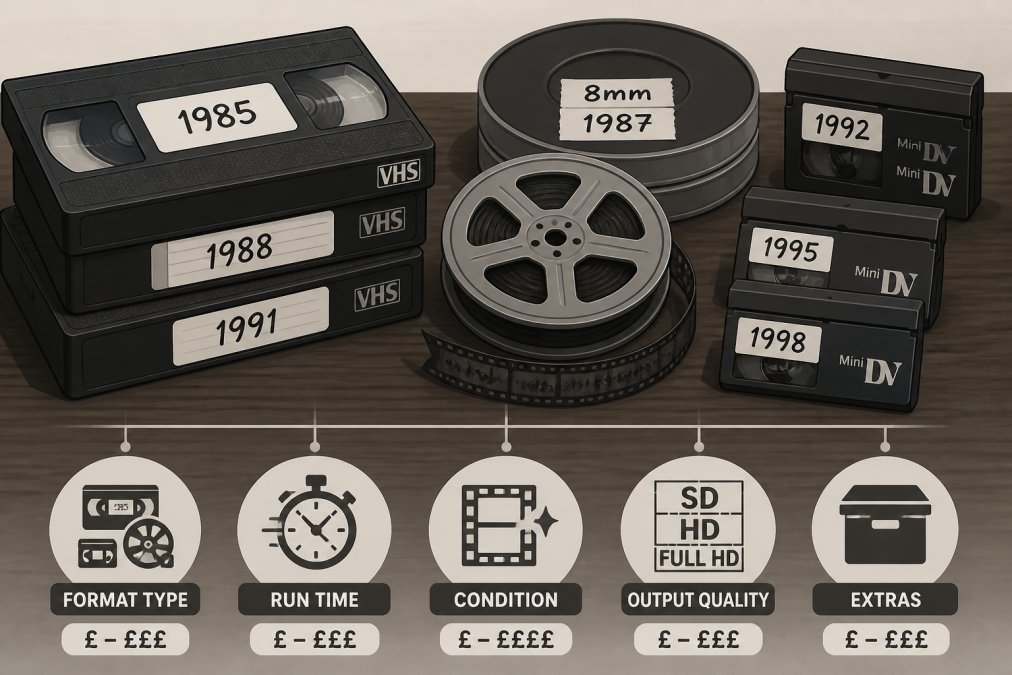
Three factors consistently drive cost: the format of your media, the volume of items you need converted, and the condition those items are in. A single deteriorating VHS tape requiring repair before conversion will cost more than ten clean MiniDV cassettes in good condition.
Format Type: VHS, 8mm Film, MiniDV and More
Legacy media format is the single biggest cost variable in any digitization project. Different formats require entirely different playback equipment, capture cards, and technical workflows.
| Format | Equipment Required | Typical Complexity | Common Issues |
|---|---|---|---|
| VHS / VHS-C | VHS deck, capture device | Low-Medium | Tracking issues, mould, degradation |
| 8mm / Hi8 | 8mm camcorder or deck | Medium | Tape shrinkage, oxide shedding |
| MiniDV | MiniDV deck or camcorder | Low | Dropouts, timecode breaks |
| Super 8 / 8mm Film | Film scanner or projector | High | Splicing, frame rate conversion |
| Betamax / Betacam | Specialised Beta deck | High | Rare equipment, parts scarcity |
| Optical media (DVD, VCD) | DVD drive, ripping software | Low | Disc rot, scratches |
Film reels, particularly Super 8 and Standard 8, sit at the top of the cost scale. Professional scanning requires frame-by-frame capture and resolution upscaling that video tapes do not need. MiniDV is generally most straightforward because it already carries a digital signal that only needs extraction.
Volume, Tape Condition and Hidden Add-On Fees
Volume pricing reduces the per-unit cost as quantity increases. A 30-tape job has different economics than a single tape.
Tape condition is where costs escalate unexpectedly. Magnetic tape degradation creates genuine technical challenges. Tapes stored in humid conditions or left untouched for decades often suffer from sticky shed syndrome, mould growth, broken splices, and tracking issues. Each requires additional labour and specialist equipment.
Never assume a quoted price per tape includes tape repair or cleaning. A provider who charges less per tape but bills separately for condition-related work can end up costing significantly more than a transparent all-in price. Always ask what is included before handing over irreplaceable media.
VHS to Digital Conversion Price: What to Expect
VHS to digital conversion price varies widely depending on the provider, region, and output format. Professional services charge per tape, with pricing influenced by tape length, condition, and whether you want output to USB flash drive, hard drive, or cloud delivery.
Output format adds cost beyond the conversion fee. Cloud delivery removes physical media costs but may involve subscription or per-gigabyte fees.
According to the National Film and Sound Archive of Australia’s digital preservation guidance, long-term accessibility depends heavily on file format and bitrate chosen at conversion. Lossless compression or high-bitrate archival quality costs more in storage but protects footage for decades.
For current pricing, visit the Showbiz Video Productions pricing page directly. A transparent quote takes the guesswork out of budgeting.
Request your files in MP4 with H.264 encoding as a minimum standard. It plays on virtually every modern device without additional software. For archival quality, ask for a second copy in a lossless format like MOV or AVI at full resolution.
DIY vs Professional Film Transfer: Which Is Right for You?
The DIY vs professional film transfer question is not really about cost. It is about whether the footage you are converting is replaceable.
Equipment Costs and Technical Challenges of DIY
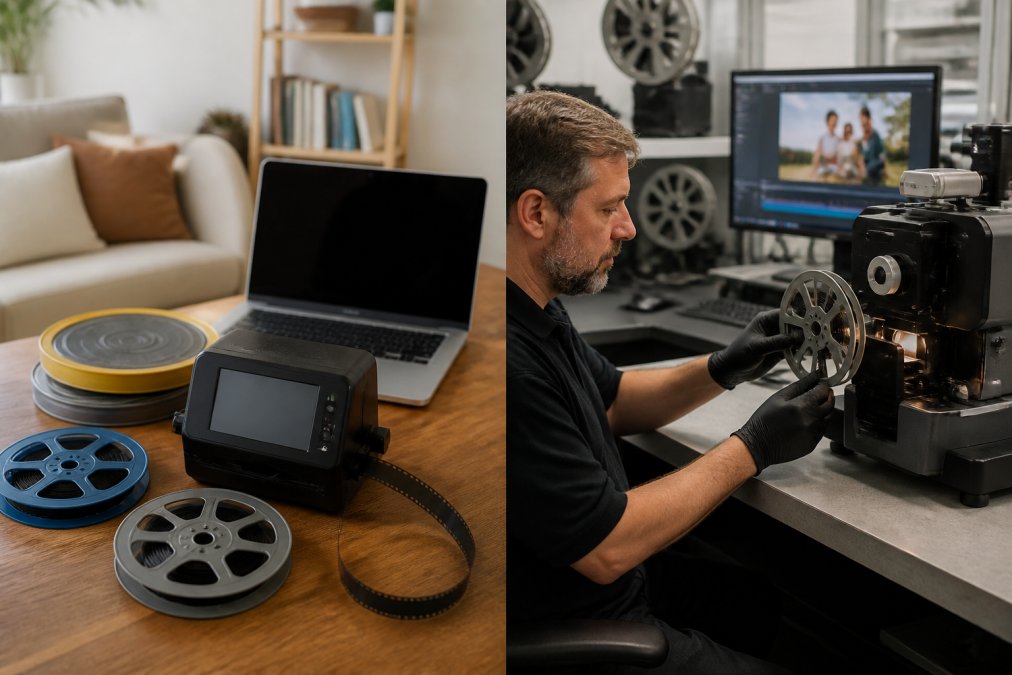
DIY digitisation sounds economical until you price the equipment. A functional VHS deck capable of clean playback costs more than most expect, and finding one in good working order is increasingly difficult. Add a USB capture card, video editing software, and the time investment to learn the workflow, and the economics shift considerably.
Technical challenges compound the cost argument: deinterlacing video requires software processing to avoid artefacts, frame rate matching affects playback smoothness, tracking issues on degraded tapes often cannot be resolved without professional decks, and tape repair requires specialist tools and experience.
For MiniDV tapes in good condition, DIY data migration via FireWire is viable for technically confident users. For VHS, 8mm film, or anything showing magnetic tape degradation, DIY introduces real risk of permanent footage loss.
Why Professional Services Deliver Archival Quality
Professional services invest in equipment unavailable at the consumer level. Professional film scanning uses frame-by-frame capture at resolutions that preserve every grain of the original. Consumer converters project film onto a screen and re-film it, introducing light falloff, focus issues, and significant quality loss.
A reputable provider assesses your tapes before conversion, flags condition issues, and advises on what is salvageable. According to the Australian Communications and Media Authority’s guidance on media preservation, deterioration of magnetic tape is irreversible once it progresses beyond a certain threshold, making professional intervention earlier rather than later the more prudent choice.
Showbiz Video Productions has over 20 years of experience handling this work, with professional-grade equipment and same-day turnaround available for most jobs.
How the Digitisation Process Actually Works
Digitising home movies is a multi-step technical process, not a simple file transfer. Understanding the steps helps you ask better questions and set realistic expectations.
Here is how a professional analog-to-digital conversion typically proceeds:
- Media assessment: The technician inspects each tape or reel for physical damage, mould, sticky shed, or broken splices.
- Tape repair and preparation: Where needed, splicing and cleaning are performed. Tapes with sticky shed may require baking in a controlled-temperature oven.
- Playback and capture: The tape runs through a professional deck connected to a capture device. For film reels, a film scanner captures each frame individually.
- Signal processing: The raw captured signal is processed for tracking corrections, colour grading, and deinterlacing.
- Encoding and compression: The processed footage is encoded to the requested video codec and bitrate.
- Quality check: The finished file is reviewed against the original footage to confirm completeness and playback quality.
- Delivery: Files are transferred to your chosen medium.
Turnaround time varies by volume and condition. Simple jobs with clean tapes can be completed same-day. Large collections with condition issues require more time.
Storing Your Digital Files: Cloud vs Physical Drive
Once your footage is digitised, the storage decision matters more than most realise. The goal is to ensure that file remains accessible in 20 years.
Physical storage on a USB flash drive or external hard drive is tangible and immediately accessible. The risk is hardware failure. Without a backup, a single failure can destroy everything.
Cloud storage solves the single-point-of-failure problem. Services like Google Drive and iCloud allow multiple copies across geographically distributed servers. The ongoing cost is a subscription, typically monthly or annually per gigabyte. For large collections, this cost adds up but is significantly less than re-digitising lost footage.
The professional standard is the 3-2-1 rule: three copies of your data, on two different types of storage media, with one copy stored offsite or in the cloud. As noted in the National Archives of Australia’s digital preservation framework, a single backup is not a backup strategy.
Cloud storage and a physical drive are not competing options. Use both. Store your primary copy on a hard drive at home, maintain a cloud backup for offsite redundancy, and consider a second physical copy with a family member. The cost of cloud storage is negligible compared to the cost of losing irreplaceable footage.
Post-Digitisation Editing, Copyright and Legal Considerations
Digitising your footage is the beginning, not the end. Many families discover that raw digitised files contain hours of unedited footage difficult to share or watch in one sitting. Post-digitisation editing, where clips are trimmed and highlights compiled, adds significant value.
Some service providers offer basic editing as an add-on. Free tools like DaVinci Resolve and paid options like Adobe Premiere Pro handle this work at the consumer level.
Music recorded onto home videos from radio, television, or purchased CDs may be subject to copyright. Under the Copyright Act 1968 (Cth) as administered by the Australian Copyright Council, reproducing copyrighted music as part of personal archival copy for private use sits in a nuanced legal space. Uploading footage containing copyrighted music to platforms like YouTube or Facebook can trigger automated content ID systems.
If you plan to share digitised footage publicly, review the audio track for commercially recorded music and either mute those sections or replace them with royalty-free alternatives during editing.
How to Choose a Digitising Home Movies Service You Can Trust
Choosing a digitising home movies service comes down to four things: experience, transparency, equipment quality, and what happens when something goes wrong.
Experience is demonstrated familiarity with the full range of legacy media formats. A service that handles VHS confidently but has never seen a Betamax tape is not the right choice for a mixed collection.
Transparency means upfront pricing with no surprises. Ask for a written quote that itemises the conversion fee, any condition-related surcharges, and output medium costs.
Equipment quality is harder to verify but worth asking about. Professional-grade capture equipment, proper tape decks with manual tracking controls, and film scanners rather than projector-based capture all produce meaningfully better results.
Service reliability matters most for irreplaceable media. Does the provider carry insurance for media in their care? What is their process if a tape is damaged? A 5-star Google rating across genuine customer reviews is a reasonable proxy for service reliability.
Showbiz Video Productions offers over 20 years of experience, same-day service for most jobs, and professional-grade equipment across all major legacy media formats.
| What to Ask | Why It Matters |
|---|---|
| Which formats do you handle? | Ensures your specific media is supported |
| Is tape assessment and repair included? | Avoids unexpected add-on charges |
| What output formats do you provide? | Confirms files will play on your devices |
| What is your turnaround time? | Sets realistic expectations for your project |
| Do you offer cloud delivery? | Determines whether you need to buy physical media |
| How do you handle damaged tapes? | Reveals care standards for irreplaceable items |
| What is your insurance or liability policy? | Protects you if something goes wrong |
The cheapest option is rarely the right one when the media is irreplaceable. The right question is not "who charges the least per tape?" but "who is least likely to damage or lose what I cannot replace?"
Preserving decades of family footage requires more than a conversion service. It requires a provider who understands the technical complexity of legacy media, the emotional weight of what they are handling, and the long-term storage strategy that keeps those files accessible for the next generation. Showbiz Video Productions brings over 20 years of professional experience, same-day turnaround, and professional-grade equipment to every job, from a single VHS tape to a full mixed-format collection. Get a quote from Showbiz Video Productions and start preserving what matters before magnetic tape degradation makes the decision for you.
Frequently Asked Questions
How much does it cost to digitize old home movies?
Pricing for digitizing home movies varies depending on the format, tape length, condition, and delivery method you choose. VHS tapes, 8mm film reels, and MiniDV cassettes each carry different rates, and bulk orders often attract lower per-unit costs. Additional services like tape repair, colour correction, or cloud delivery can also affect the total. Visit Showbiz Video Productions' pricing page for current rates, or request a free quote based on your specific collection.
Is it worth digitizing old home videos on VHS?
Magnetic tape degrades at roughly 10-20% per decade, meaning VHS tapes from the 1980s and 1990s are already losing picture quality through a process called magnetic tape degradation. Once the signal is gone, it cannot be recovered. Digitizing preserves what remains at the highest possible quality, making the content playable on modern devices and shareable with family. For irreplaceable footage, professional digitization is almost always worth the cost before further deterioration occurs.
Is it cheaper to DIY or hire a professional for home movie conversion?
DIY conversion appears cheaper upfront, but the equipment required for true archival-quality output, a reliable VCR or film scanner, capture card, and editing software, can cost several hundred dollars before you convert a single tape. Factor in the time investment and the risk of damaging irreplaceable media, and professional services often represent better value. For small collections especially, professional turnaround times and guaranteed quality make the per-tape cost straightforward to justify.
Are there hidden costs when digitizing old media?
Some providers charge separately for tape repair, splicing damaged sections, deinterlacing, resolution upscaling, or specific file formats. Delivery method also matters: receiving files on a USB flash drive or hard drive typically costs more than a digital download or cloud delivery link. Always confirm what is included in the quoted price. Showbiz Video Productions offers transparent pricing, so you know exactly what you are paying for before handing over your tapes.
This article was written using GrandRanker