
Table of Contents
- What Determines Media Conversion Turnaround Time
- Media Type and Condition: VHS, 8mm Film, Slides and More
- How to Digitise VHS Tapes at Home: Realistic Time Expectations
- Digitising 8mm Film to Digital Files: What Affects the Timeline
- The Cost to Convert Old Home Videos and How It Relates to Turnaround
- Professional Service Queue Times and Same-Day Options
- File Formats, Resolution and Storage: What to Expect After Conversion
- Batch Processing and Transfer Speed: Working Smarter with Large Collections
- Frequently Asked Questions
Last Updated: September 25, 2026
What Determines Media Conversion Turnaround Time
Media conversion is the process of transferring analog footage from tapes, film, or slides into digital files. The turnaround time depends on whether the job runs in real time or through a queue. At Showbiz Video Productions, we’ve handled thousands of these jobs over 20 years, and the honest answer is: it varies more than most people expect.
Two things drive the clock.
Real-Time Capture vs Queue-Based Processing
Real-time capture means one hour of tape takes one hour to play through. That’s the physical limit of the format, and no machine shortcuts it.
Media Type and Condition: VHS, 8mm Film, Slides and More
VHS, camcorder tapes, 8mm film, slides, and photos all convert at different speeds. VHS runs in real time. Film reels need frame-by-frame scanning, which is slower. Slides and photos scan quickly once the setup is done.
Here’s the rough picture:
| Media Type | Capture Method | Relative Time |
|---|---|---|
| VHS / camcorder tape | Real-time playback | 1x tape length |
| 8mm / Super 8 film | Frame-by-frame scan | 2-4x reel length |
| Slides | Batch scanner | Minutes per tray |
| Photos | Flatbed or feeder scan | Seconds per image |
Tape Degradation and Why It Adds Time
Old tape degrades. The binder holding the magnetic layer breaks down, and mould can grow on the surface. A degraded tape needs cleaning and sometimes baking before it will play without shedding oxide onto the heads.
How to Digitise VHS Tapes at Home: Realistic Time Expectations
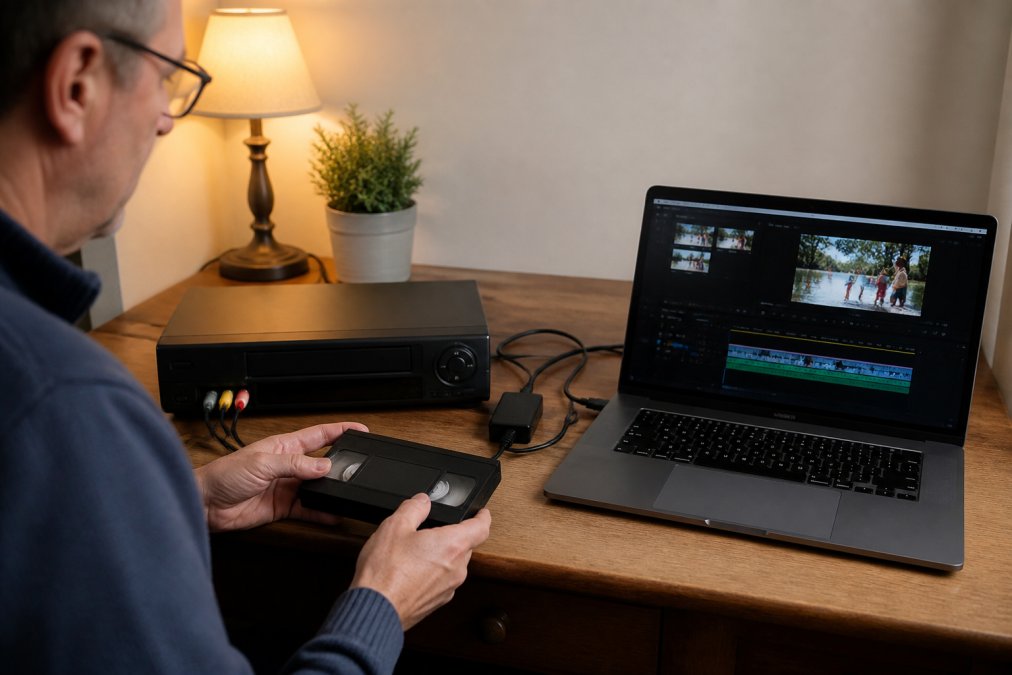
Here’s how it breaks down:
- Source a working VCR and a capture device (USB or PCI card)
- Install and configure the capture software
- Connect the VCR to the capture device with the right cables
- Run a test capture to check audio and video sync
- Play the full tape in real time while recording
- Export and label the file
The most common DIY mistake is skipping the test capture. If your audio drifts out of sync halfway through a two-hour tape, you’ve wasted the whole run and have to start again.
Digitising 8mm Film to Digital Files: What Affects the Timeline
Film is slower than tape because each frame gets scanned individually. A reel of 8mm film holds roughly 3-4 minutes of footage at 16 frames per second, but a frame-by-frame scan can take 30-60 minutes depending on the scanner and resolution.
Three things stretch the timeline:
- Frame rate – higher scan rates capture more detail but take longer
- Resolution – 2K scans run faster than 4K
- Film condition – splices, brittleness, and shrinkage slow the feed
The Cost to Convert Old Home Videos and How It Relates to Turnaround
The cost to convert old home videos usually tracks the time involved. Faster service costs more because it jumps the queue.
Professional Service Queue Times and Same-Day Options
Queue time is the wild card. A busy service might quote two to four weeks. A quiet one can turn a job around in days.
What to ask before you hand over your tapes:
- How many jobs are ahead of mine?
- Is the quoted time calendar days or working days?
- What happens if a tape won’t play?
File Formats, Resolution and Storage: What to Expect After Conversion
You’ll get digital files back, usually as MP4 or MOV. MP4 (H.264 or H.265) is the safer choice for sharing and playback on modern devices. MOV is common when the source is Apple-centric or when a lossless intermediate is requested.
File Size vs Conversion Speed: The Trade-Off Nobody Tables
Most guides skip this, but the format you choose directly changes how long the job takes. Higher bitrates and lossless codecs increase encoding time because the processor has more data to write per second of footage. Here’s the rough picture for one hour of standard-definition source:
| Output Format | Typical Bitrate | Approx. File Size (1 hr) | Relative Encoding Time |
|---|---|---|---|
| MP4 (H.264, web) | 2-4 Mbps | 1-2 GB | 1x (baseline) |
| MP4 (H.264, high) | 8-10 Mbps | 4-5 GB | 1.5-2x |
| MOV (ProRes 422) | ~147 Mbps | ~65 GB | 4-6x |
| Lossless AVI (DV) | ~25 Mbps | ~11 GB | 2-3x |
Storage Planning After Conversion
Storage adds up fast. A single hour of standard-definition video can run into several gigabytes, and higher-resolution scans multiply that. A modest collection of 20 VHS tapes (roughly 30 hours of footage) at high-bitrate MP4 lands around 120-150 GB. The same collection as ProRes masters can exceed 2 TB.
Ask for a lossless or high-bitrate master file alongside a compressed copy for sharing. The master is your archive; the compressed file is what you send to family. Keep the master on a drive you control, not only in the cloud.
Cloud Upload and Transfer Time
Most guides ignore the time it takes to move large digital files after conversion. If your service delivers via download link, the upload from their end and the download on yours both count against your timeline. A 100 GB master file on a typical 50 Mbps home connection takes roughly 4-5 hours to download. On a slower 20 Mbps connection, that stretches past 11 hours.
Batch Processing and Transfer Speed: Working Smarter with Large Collections
Batch processing is where the maths changes. If you have 40 tapes, doing them one at a time at home is weeks of evenings. A professional service runs multiple conversion stations at once, so your whole box moves through in parallel.
Why Professional Hardware Beats Consumer Capture Cards
A consumer USB capture card (the kind sold for $30-$80) typically handles one analog input at a time and relies on your computer’s CPU to encode. That means one tape at a time, and the encoding competes with everything else running on your machine. A dropped frame or a sync drift is common on older or slower computers.
Professional conversion hardware works differently:
- Multiple capture channels per machine, a single rack unit can ingest four or more tapes simultaneously, each with its own time-base corrector (TBC) to stabilise the analog signal.
- Hardware encoding, dedicated encoder chips handle H.264 or ProRes in real time, so the CPU isn’t the bottleneck and frames don’t drop.
- Frame-accurate capture, TBCs and frame syncs eliminate the rolling, tearing, and audio drift that consumer cards produce on degraded tapes.
Volume-Based Processing Estimates
Here’s a rough guide for a professional service running parallel stations, assuming clean tapes and standard-definition MP4 output:
| Collection Size | Approx. Total Footage | DIY Time (one tape at a time) | Professional Time (parallel stations) |
|---|---|---|---|
| 10 tapes | 15 hours | ~30-45 hours | 2-4 working days |
| 25 tapes | 38 hours | ~75-110 hours | 4-7 working days |
| 50 tapes | 75 hours | ~150-220 hours | 7-12 working days |
Transfer Speed and Delivery Options
Transfer speed matters too. Cloud uploads can bottleneck a large job. A physical hard drive or USB stick handed over in person avoids that entirely.
For big collections, ask about:
- Multiple conversion stations running at once
- Bulk pricing for volume
- Delivery on a hard drive instead of a download link
- Whether the quoted time is calendar days or working days
For collections over 20 tapes, professional batch processing with hardware encoding is almost always faster and cleaner than DIY. The capture is real-time either way, the difference is parallelism, hardware encoding, and not spending your evenings babysitting a VCR.
Frequently Asked Questions
How long does it take to convert a batch of VHS tapes?
A single VHS tape typically takes the length of the tape itself to capture in real time, so a two-hour tape needs at least two hours of recording. Batch processing can run multiple tapes sequentially, but each still requires its own real-time pass. Professional services often queue jobs, so total turnaround depends on how many tapes you have and how busy the facility is. For a collection of 10 to 15 tapes, expect several days to a week with most services, though same-day options exist for smaller jobs.
Does the condition of my old media affect how long conversion takes?
Yes, significantly. Tapes with mould, broken reels, or severe degradation need cleaning and repair before they can be played. Film reels may require splicing or rehousing. These steps add time because rushing them risks permanent damage. A tape in good condition might run straight through, while a damaged one could take hours of prep before conversion even starts. Professional services assess condition first and will tell you if extra handling is needed.
Is same-day media conversion really possible for home videos?
Same-day service is possible for small jobs when the media is in good condition and the service has capacity. A single VHS tape or a handful of slides can often be completed within a day. Larger collections, damaged media, or film reels usually need more time. If you need same-day turnaround, call ahead to confirm availability and bring your media in early. Not every job qualifies, but for straightforward conversions it is achievable.
What file format will I get, and how does that affect conversion time?
Most services deliver files as MP4 or MOV, which play on modern devices and are easy to share. Higher resolution or lossless formats take longer to encode and produce larger files. If you choose a high bitrate for archival quality, encoding adds time. Standard MP4 is a good balance for most family videos. Ask about format options upfront so you can choose the right trade-off between quality and turnaround.