Table of Contents
- VHS to Digital Conversion: Professional Service vs DIY
- Quick Comparison: Professional Services and DIY Converters
- Showbiz Video Productions: Full-Service Professional Conversion
- DIY VHS to Digital Converter Options
- VHS to Digital Conversion Cost: Total Spend Breakdown
- VHS Conversion Turnaround Time: What to Expect
- VHS Video Quality Comparison: Professional vs DIY Results
- How to Choose: Budget, Volume, and Quality Decision Framework
- Frequently Asked Questions
Last Updated: October 8, 2026
VHS to Digital Conversion: Professional Service vs DIY
Converting VHS tapes to digital files preserves memories that would otherwise degrade over time. The choice between professional VHS to digital conversion and doing it yourself hinges on three factors: budget, tape volume, and how much quality matters to you.
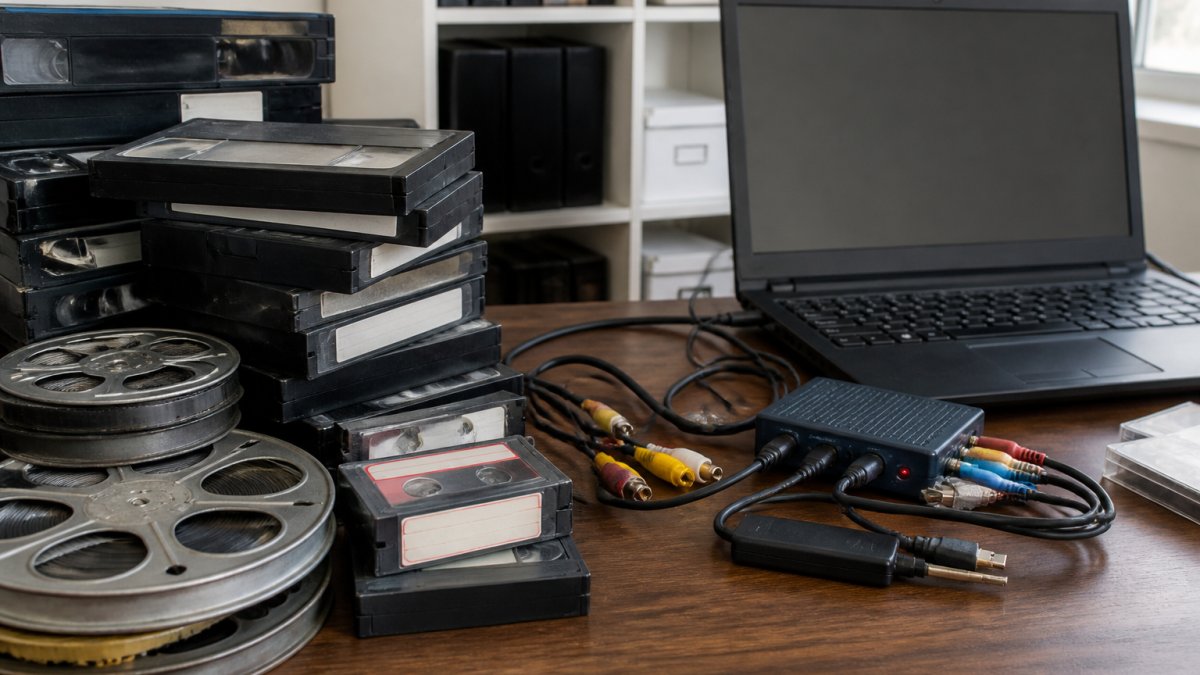
Professional services handle the entire process, playback, capture, file encoding, and delivery. You send your tapes, they return digital files on USB, SD card, or via cloud storage. DIY converters are standalone devices or software that you operate yourself. Both work. The real question is whether your time and equipment investment make sense against the per-tape cost of professional handling.
When Professional Service Makes Sense
Professional conversion works best when you have more than 20 tapes, your originals are in poor condition, or you need multiple formats handled at once. A professional team has equipment that reads damaged tapes that consumer devices often reject.
If privacy matters, professional services offer secure chain-of-custody handling. Your tapes stay in controlled hands, processed on isolated systems, then returned or destroyed per your request. For irreplaceable family videos, that peace of mind is worth the cost difference.
Showbiz Video Productions handles VHS, camcorder tapes, film reels, cassettes, and vinyl, all in one place. Rather than juggling multiple vendors, you get one service that accepts mixed media batches. Same-day turnaround is available for most jobs, which matters if you need files quickly for a family event or memorial.
When DIY Conversion Works
DIY makes sense if you have fewer than 10 tapes, they’re in decent condition, and you’re comfortable with basic computer setup. A capture device connects to your VCR via composite cables (yellow, red, white connectors), then to your computer via USB. Software on your laptop handles the actual recording and file export.
The upfront cost is lower, a budget device runs under $50 AUD. If you only convert tapes once, that’s cheaper than paying per tape. However, you’ll spend 2-4 hours per tape managing the process: playing the tape, monitoring the capture, stopping and starting at chapter breaks, and exporting the final file.
DIY also requires working VCR or camcorder hardware. If your player is broken, you’ve already added a repair or replacement cost. Professional services own multiple playback devices, so a broken player doesn’t delay your job.
Common DIY mistake: assuming the software will handle everything automatically. Most capture tools require manual start/stop and manual file naming. Unattended recording often produces corrupted files or audio sync issues. Budget extra time for trial runs and troubleshooting.
Quick Comparison: Professional Services and DIY Converters
| Approach | Setup Cost | Per-Tape Cost | Time per Tape | Quality | Best For |
|---|---|---|---|---|---|
| Professional Service | None | Varies by provider | 1-3 days | High | 20+ tapes, damaged media, mixed formats |
| Budget DIY Converter | Under $50 | None after device | 2-4 hours | Moderate | Under 10 tapes, good condition, patient operator |
| Mid-Range DIY Converter | $40-$60 | None after device | 1.5-3 hours | Moderate-High | 10-30 tapes, willing to learn software |
Showbiz Video Productions: Full-Service Professional Conversion
Showbiz Video Productions converts your tapes to high-quality digital files with over 20 years of experience. The service accepts VHS, camcorder tapes (MiniDV, Hi8, 8mm), film reels, cassettes, and vinyl, so you don’t need to separate your collection or visit multiple vendors.
Pricing is transparent and affordable, with no hidden fees. You see the price upfront, and you pay only for what you convert. Same-day turnaround is available for most orders, which means you can have digital files within hours rather than waiting weeks.
The output is delivered on USB drive or SD card, and files are in MP4 format, playable on any modern TV, computer, or mobile device. If you prefer cloud storage, that option is available. The files are yours to keep, share with family, or back up to your own systems.
Ask about pricing for large collections. Showbiz Video Productions offers transparent pricing, which can be competitive compared to other services.
The team handles your media with professional-grade equipment and secure handling. Tapes are processed on isolated systems and returned or securely destroyed per your preference. This matters if your videos contain personal or sensitive content.
DIY VHS to Digital Converter Options
Budget Capture Devices (Under $50)
Diamond VC500 is a standalone USB capture device priced around $40 AUD. It connects to your VCR via composite cables and records directly to your computer.
What works: The price is genuinely low, and it handles standard VHS playback without fuss. The device is plug-and-play; no drivers or complex setup required.
What doesn’t: The software offers minimal editing or file management. You’ll rename and organise files manually. Quality is adequate for home videos but not broadcast-grade. Audio sync can drift on longer tapes, requiring manual correction in some cases.
Digitnow Video Capture Converter occupies the same price tier and serves the same purpose. It’s described as considerably cheaper than premium options like Elgato. Again, expect functional but basic performance, adequate for preserving memories, not for professional restoration.
Mid-Range Capture Solutions ($40-$60)
VIDBOX Video Conversion Suite sits in the $40-$60 range and includes both hardware and software. It’s recommended for most home users who want slightly better control over the conversion process.
What works: The included software is more capable than budget alternatives. You can preview the tape before recording, which helps catch audio or playback issues early.
What doesn’t: The software has a learning curve if you’ve never used capture tools. Setup takes 30 minutes to an hour. Quality is still consumer-grade; professional restoration features are absent.
ClearClick Video to Digital 2.0 offers similar functionality in the same price band.
Elgato Video Capture is the premium consumer option, priced around $80 AUD. It’s more strong than budget alternatives and is designed for users who care about quality.
The jump from budget to mid-range devices ($40-$60) is worth it if you have more than 15 tapes. The time savings and better file organisation justify the extra cost. For 5-10 tapes, a budget device is sufficient.
VHS to Digital Conversion Cost: Total Spend Breakdown
Professional conversion cost depends on the number of tapes and any add-ons. Showbiz Video Productions starts at $6 per item. If you have 30 tapes, that’s a base cost before any extras like expedited delivery or cloud storage backup.
Other professional services vary. Some charge per tape with a minimum order; others charge by the hour. The key is comparing total spend, not just per-tape rates, because minimums and setup fees add up quickly.
DIY conversion has two cost components: the device and your time. A budget device costs under $50 AUD, one-time. Your time cost depends on how you value it.
The break-even point varies. For smaller collections, DIY might seem cheaper upfront. For larger collections, professional services are usually more cost-effective when you factor in your time.
Hidden costs in DIY: blank media (USB drives or external hard drives for backups), software updates, and equipment replacement if your VCR fails mid-project. Budget an extra $50-$100 for these contingencies.
VHS Conversion Turnaround Time: What to Expect
Professional services typically deliver within a few business days. Showbiz Video Productions offers same-day turnaround for most jobs. If you need files for an event or memorial service, same-day conversion eliminates the waiting period entirely.
DIY conversion is immediate in the sense that you start right away, but the actual process is slow. A single 2-hour VHS tape takes 2-4 hours to capture, depending on the device and software. You can’t speed this up, the tape plays in real time, and the software records in real time. Batch processing (converting multiple tapes simultaneously) isn’t possible with most consumer devices.
If you have 30 tapes and do DIY conversion, plan for 60-120 hours of active work, spread over several weeks. That’s a significant time commitment. Professional services compress this into days.
VHS Video Quality Comparison: Professional vs DIY Results
Professional equipment captures video at higher bitrates and with better colour accuracy than consumer devices. The difference is visible when you play the files on a large TV screen.
DIY capture devices record at lower bitrates to keep file sizes manageable. The trade-off is visible loss of detail and occasional colour shift. For home videos with sentimental value, this is usually acceptable.
Tape condition affects both approaches. A damaged tape with visible tracking errors will produce poor output from any device. However, professional services have multiple playback heads and can sometimes recover footage that consumer devices reject entirely.
Audio quality follows the same pattern. Professional services capture stereo audio with better fidelity. DIY devices often record mono or compressed stereo. Again, the difference is noticeable on good speakers but acceptable for most home video use.
How to Choose: Budget, Volume, and Quality Decision Framework
Start with your tape count. Fewer than 10 tapes? DIY is cost-effective if you’re patient. Between 10 and 25 tapes? The break-even point is near; choose based on your available time and how much quality matters. More than 25 tapes?
Next, assess tape condition. If your tapes show visible signs of age, sticky residue, mould, discolouration, professional services are the safer choice. They have equipment and expertise to handle difficult playback. DIY devices often fail on damaged media.
Consider your format mix. If you have VHS, 8mm, film reels, and cassettes all jumbled together, professional services eliminate the need to find separate vendors.
Finally, decide on quality. If these are irreplaceable family memories and you want the best possible output, professional conversion is worth the cost.
Professional service is the right choice if: You have 20+ tapes, tapes are in poor condition, you value your time, or you need same-day turnaround.
DIY conversion is the right choice if: You have fewer than 10 tapes, they’re in good condition, you have time to spare, and you’re comfortable with basic computer setup.
Frequently Asked Questions
What is the cheapest way to convert VHS tapes to digital?
DIY conversion is cheapest upfront if you have only a few tapes. A budget capture device like the Diamond VC500 costs around $40 and lets you digitise unlimited tapes at home. However, factor in your time, software costs, and storage. For small volumes, professional VHS to digital conversion services can be cost-effective when you account for equipment, time, and learning curve. Professional services handle tape condition issues and deliver finished files ready to use.
How much does it cost to convert a VHS tape to digital?
Professional VHS to digital conversion pricing varies by service. Pricing depends on tape length, quantity, and output format (USB, DVD, or cloud storage). DIY converters require an initial hardware investment but have no per-tape cost once purchased. For transparent, affordable pricing tailored to your specific tapes, check with your chosen service directly for a quote.
Is it cheaper to convert VHS tapes yourself or use a professional service?
DIY can be cheaper per tape for very large collections. For smaller collections, professional conversion often costs less overall because you avoid hardware costs, software learning, and time spent digitising. Professional services also handle damaged or degraded tapes better, ensuring higher quality results. If your tapes are precious family memories, professional handling reduces the risk of data loss or quality loss during the conversion process.
How long does VHS to digital conversion take?
Professional VHS conversion turnaround time varies. Some providers offer expedited or same-day service for smaller jobs. DIY conversion takes significantly longer: a two-hour VHS tape requires at least two hours of hands-on digitisation time, plus additional hours for file management and storage setup. If you need quick results or have a large collection, professional conversion is faster and frees your time for other tasks.
Will converting VHS to digital improve the picture quality?
No. VHS to digital conversion preserves the original tape’s quality but cannot enhance it. If your tape is degraded, fuzzy, or discoloured, the digital file will reflect those same issues. Professional conversion uses high-quality equipment to capture every detail your tape contains, which is better than DIY methods. However, the digital file quality depends entirely on the source tape’s condition. Professional services can advise if restoration is possible before conversion.
Converting your VHS collection to digital files ensures your memories stay accessible for decades to come. If you’re weighing the options, Showbiz Video Productions offers same-day turnaround, transparent pricing starting at $6 per item, and professional-grade equipment that handles multiple formats in one place. Get A Quote and see how quickly your tapes can become digital files ready to share with family.