Last Updated: November 5, 2026
Quick Summary
The best budget turntables for digitizing vinyl have a built-in phono preamp and USB output, since connectivity decides whether a deck can digitize at all. The Audio-Technica AT-LP120XUSB is the top pick for this task because it offers both features. Other budget models lack confirmed USB output and need extra hardware.
- Check the spec sheet for a built-in phono preamp and USB output first.
- The Audio-Technica AT-LP120XUSB has USB output and suits anyone recording straight to a computer.
- Clean each record before recording, since dust creates clicks that are hard to remove later.
- Leave headroom when setting input levels, because clipping cannot be repaired afterwards.
- FLAC is a lossless format that preserves more detail than MP3 for long-term archiving.
Table of Contents
Digitising a record collection depends on one feature more than any other: a clean, reliable way to get audio from the turntable into a computer. Price matters, but a cheap turntable without USB output or a proper phono stage will leave you with noisy, unusable files. The short answer is that connectivity decides whether a budget turntable can digitise at all.
A phono stage is the circuit that boosts the tiny signal from the cartridge to line level. Many budget models leave it out, which means you need an external preamp before anything reaches your computer. Turntables with a built-in phono preamp and USB output let you connect directly with a single cable. That saves money on extra hardware and removes a common point of failure.
What to Look for in a Budget Turntable for Digitising
When you compare budget turntables, check the specification sheet before the price. Look for a built-in phono preamp, a USB output, and a stable platter. Those three features determine whether a deck is suitable for digitising, whatever the sticker price says.
Belt drive vs direct drive turntables
Belt drive turntables use a rubber belt between the motor and the platter. They absorb motor vibration well and tend to sound smooth, but the belt can wear over time. Direct drive turntables connect the motor straight to the platter. They start quickly and keep steady speed, which helps with consistent recordings. For digitising, either type can work, provided the speed stays stable throughout each side.
Built-in phono preamp and USB connectivity
A built-in preamp and USB output are the two features that matter most for this task. If you are considering external hardware instead, compare audio interfaces for turntable recording. Without them, you need a separate phono stage and audio interface, which adds cost and cables. Confirm that the model you choose states both features explicitly, as some listings are vague about USB.
Best Budget Turntables for Digitising Vinyl: Comparison Table
The table below summarises the models covered in this guide. Pricing and USB support vary by model and by retailer, so check the current specifications before buying.
| Turntable | USB Output | Built-in Phono Preamp | Best For |
|---|---|---|---|
| Audio-Technica AT-LP120XUSB | Yes | Yes | Dedicated digitising |
| Audio-Technica AT-LP60X | Not confirmed | Not confirmed | Basic playback |
| Audio-Technica AT-LP70X | Not confirmed | Not confirmed | Affordable playback |
| Sony PS-LX310BT | Not confirmed | Not confirmed | Bluetooth playback |
| Pro-Ject Primary E | Not confirmed | Not confirmed | Budget playback |
| JBL Spinner BT | Not confirmed | Not confirmed | Bluetooth playback |
| Denon DP-29F | Not confirmed | Not confirmed | Beginner playback |
Top Budget Turntables Ranked: Pros, Cons and Who Each Suits
1. Audio-Technica AT-LP120XUSB
A turntable with USB connectivity and a direct-drive motor, often considered for digitising. Check current Australian pricing before buying, as prices vary by retailer.
Best for: anyone who wants to record vinyl straight to a computer.
Skip if: you only want to play records and never digitise.
2. Audio-Technica AT-LP60X
It is primarily an analog playback device, so confirm its connections before relying on it for recording.
Best for: buyers who want affordable, reliable playback.
Skip if: digitising is your main goal and you have no separate preamp or interface.
3. Audio-Technica AT-LP70X
Verify its audio output before choosing it for digitising.
Best for: comparing affordable Audio-Technica models.
Skip if: you cannot confirm USB output.
4. Sony PS-LX310BT
A Bluetooth-equipped record player that suits casual listening. Its computer-recording features are not confirmed, so check them first.
Best for: wireless playback to speakers or headphones.
Skip if: you need a direct USB recording path.
5. Pro-Ject Primary E
Confirm the connection method before using it for digitising.
Best for: budget-conscious listeners focused on playback quality.
Skip if: you need built-in USB output.
6. JBL Spinner BT
Its Bluetooth connectivity suits wireless listening, but USB recording is not confirmed.
Best for: shoppers who want a simple Bluetooth turntable.
Skip if: you plan to digitise records without an extra interface.
7. Denon DP-29F
It suits new collectors who mainly want to play records.
Best for: first-time buyers focused on playback.
Skip if: your priority is USB recording.
How to Digitise Vinyl Records Step by Step
Once you have a suitable turntable, the process follows a clear sequence. Clean each record before you start, since dust and grime create clicks that are hard to remove later.
- Clean the record. Use a carbon-fibre brush or a record-cleaning solution to remove dust from both sides.
- Connect the turntable. Use USB output if your model has it, or connect through a preamp and audio interface.
- Set the levels. Play the loudest passage and adjust the recording input so the peaks stay below clipping.
- Record the side. Start recording before dropping the stylus, then stop after the run-out groove.
- Save the file. Lossless formats such as FLAC preserve more detail than MP3 and suit long-term archiving. Once captured, you can remove crackle from digitized vinyl using software and audio repair techniques.
- Split and tag. Divide the side into tracks and add the artist, album and track information.
Watch out: setting the input level too high causes clipping that cannot be repaired afterwards. Leave headroom, and check a short test recording before committing to a full side.
Best Software for Recording Vinyl and Post-Processing Your Files
Recording software captures the audio, and editing software handles the clean-up. Many free and paid programs can record from a turntable’s USB output. Look for software that supports lossless export and simple track splitting. For clean-up, dedicated audio editors can reduce clicks and crackle, though heavy processing can dull the sound, so use restoration tools sparingly. Keep an unprocessed master copy of every recording so you can always return to the original.
Booking a Vinyl to Digital Conversion Service Instead of DIY
Doing it yourself requires a suitable turntable, software, time and patience. For the full walkthrough on gear, cleaning and format choices, see how to convert vinyl records to digital files. For a large or fragile collection, a professional service may be the better choice. Showbiz Video Productions converts vinyl, along with VHS, film reels and cassettes, into digital files that play on modern devices. Pricing depends on quantity, format and delivery, so contact us through our website for a current quote and turnaround information. You can also compare vinyl transfer options and get a quote before deciding.
Frequently Asked Questions
Which budget turntable is best for digitising vinyl?
The Audio-Technica AT-LP120XUSB is our top pick for digitising because it offers USB output and a direct-drive motor. Check current Australian pricing before buying.
Do I need a phono preamp to digitise vinyl?
You need one somewhere in the chain. A turntable with a built-in preamp connects directly, while other decks require an external phono stage.
What file format should I use for digitised vinyl?
FLAC is a lossless format that keeps more detail than MP3, which makes it a sound choice for archiving.
Frequently Asked Questions
Do I need a special turntable to digitise vinyl records?
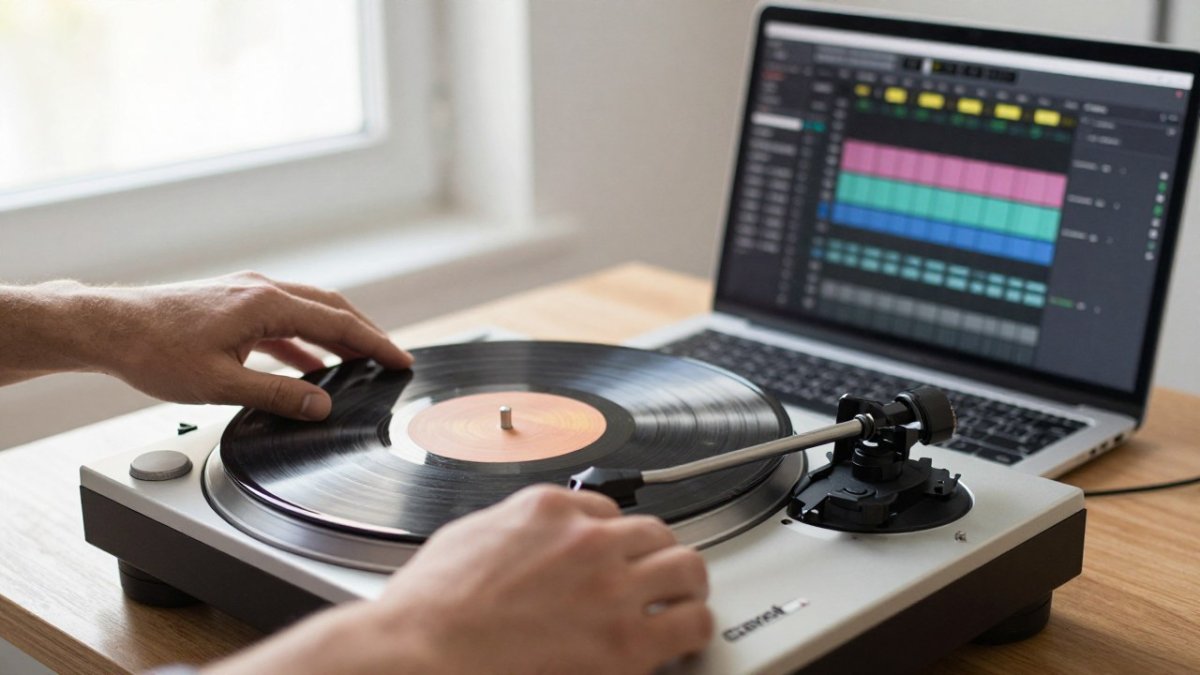
Not necessarily, but you need a way to get the audio into a computer. A turntable with built-in USB output lets you connect straight to a laptop with a single cable. Without USB, you need a phono preamp and an audio interface with line-level inputs. Check the rear panel for a USB socket or a line output before buying, as the spec sheet does not always make this clear. Budget USB models are fine for most home collections.
What is the difference between a USB turntable and a standard turntable?
A USB turntable has a built-in analog-to-digital converter and a USB port, so the record’s sound travels to your computer digitally through one cable. A standard turntable outputs an analog signal through RCA cables, which needs a phono preamp and an audio interface to be recorded. Standard models often sound just as good and give you more flexibility to upgrade the cartridge later, but they require more equipment and setup.
Is it better to digitise vinyl using a USB turntable or an external preamp?
For most people starting out, a USB turntable is simpler and cheaper overall. An external phono preamp with a separate audio interface gives better control over gain and conversion quality, and suits collectors with valuable or noisy records. The trade-off is cost and cabling. If you already own a turntable with RCA outputs, adding a preamp and interface is the sensible route. Either way, test a record and listen back before committing a full collection.
What software is best for recording vinyl to a computer?
Free options such as Audacity handle recording and basic cleanup well, and most USB turntables include a download link for their own recording software. Dedicated tools such as Audacity plugins for click and crackle removal help with worn records. Choose software that records at 24-bit, 96 kHz or at least 16-bit, 44.1 kHz, and exports lossless WAV or FLAC files for archiving. Test the workflow on one side of an album first.
Can I digitise vinyl without a computer?
Yes, but the options are limited. Some record players include a built-in cassette deck or USB stick recording, which copies the audio without a laptop. These are convenient for quick transfers, but they usually record at lower quality and give you fewer editing options. If you want archival-quality files, a computer with a proper audio interface is the better choice, or you can send records to a professional conversion service.
