
Table of Contents
- VideoRescue vs Local Digitisation: Overview and Key Differences
- Supported Formats: What Each Service Handles
- VHS Digitisation Cost Per Tape and Pricing Transparency
- Best Format for Digitised VHS Files and Quality Standards
- Digitise VHS Tapes Yourself: DIY Conversion vs Professional Service
- Mail-in Video Digitisation Service: Safety, Chain of Custody, and Insurance
- Which Option Should You Choose?
- Frequently Asked Questions
Last Updated: October 6, 2026
VideoRescue vs Local Digitisation: Overview and Key Differences
When your family’s memories sit in boxes of aging VHS tapes, film reels, or cassettes, you face a practical choice between videorescue vs local digitisation: trust a mail-in service like VideoRescue, or use a local digitisation provider. Both preserve what matters, but differ in how they work, what they cost, and what you’re paying for. At Showbiz Video Productions, we understand this decision, and the answer depends less on which service is “better” than on what you value most: speed, control, or peace of mind.
Service Model and Accessibility
VideoRescue operates as a mail-in service: you pack your media, send it to their facility, they digitise it, and return your files and originals.
Local digitisation services work differently: you visit a physical location, discuss your needs with someone handling your media directly, and often collect your files within days.
The trade-off: mail-in suits busy people or those far from a facility, while local services suit those who want to see where their media goes and speak with the technician.
Turnaround and Convenience
VideoRescue’s turnaround typically runs 2-4 weeks once your package arrives.
Local digitisation services often deliver much faster. Showbiz Video Productions offers same-day service on most jobs, drop off tapes Monday morning, pick up digital files the same afternoon.
Convenience cuts both ways: mail-in eliminates travelling to a local provider, while local services eliminate the waiting and the anxiety of posting irreplaceable media.
Supported Formats: What Each Service Handles
VideoRescue and local providers both handle common formats, VHS, VHS-C, Hi8, Digital8, MiniDV, and standard film reels, but support varies.
Showbiz Video Productions accepts VHS, 8mm film, Super 8, Hi8, Video8, Digital8, cassettes, and vinyl.
Before choosing any service, verify they support YOUR specific formats. A provider that handles VHS but refuses 8mm film forces you to split digitisation across vendors, creating inconsistency in how files are processed and stored.
VHS Digitisation Cost Per Tape and Pricing Transparency
Pricing is where digitisation quotes diverge most. The table below sets out the cost components you should expect itemised on any quote. Confirm current pricing before committing.
| Cost component | Mail-in service (typical) | Local drop-off (typical) |
|---|---|---|
| VHS / VHS-C tape | $10-$18 per tape | $6-$15 per tape |
| Hi8 / Video8 / Digital8 | $12-$22 per tape | $8-$18 per tape |
| MiniDV / cassette | $12-$20 per tape | $8-$16 per tape |
| 8mm / Super 8 film reel | $25-$45 per reel | $20-$40 per reel |
| Minimum order | Often $30-$50 | Often none |
| Return shipping | $15-$25 each way | Not applicable |
| USB or external drive delivery | $15-$40 | $10-$30 |
| Cloud upload | $0-$20 | $0-$15 |
| Rush / same-day surcharge | Rarely offered | $10-$30 per job |
| Damaged-tape assessment | $10-$25 per tape | $0-$20 per tape |
What a Transparent Quote Should Include
A trustworthy quote itemises all of these before you hand over media:
- Base digitisation rate per tape or reel, by format, not a blended figure.
- Minimum order value, if any, and whether it applies per shipment or order.
- Delivery medium and cost: DVD, USB, external drive, or cloud download.
Questions That Expose Hidden Fees
- “Is the price per tape or per hour of footage?” Runtime-based pricing penalises long recordings.
- “What happens if a tape won’t play, do I still pay?” A fair policy charges only for successful captures or a reduced assessment fee.
- “Is return shipping included?” For mail-in services, this is the most common surprise.
If a provider will not put pricing in writing before you send or drop off media, treat that as a red flag. Reputable services quote in writing and honour the quote unless the media’s condition differs materially from what you described.
Always compare the landed cost per tape, base rate plus delivery plus return shipping plus GST, not the headline rate. The cheapest advertised per-tape price is frequently the most expensive option once shipping and add-ons are included.
ACCC guidance on misleading pricing and component pricing
Best Format for Digitised VHS Files and Quality Standards
The format your files come back in determines how easily you can use them, and not all services deliver the same quality.
Professional digitisation produces MP4 or MOV files at resolutions matching the original tape’s quality. A VHS tape contains roughly 240 lines of vertical resolution; digitising at 720×480 or higher captures what’s actually there without inventing detail.
Showbiz Video Productions delivers files in high-quality digital formats suitable for playback, sharing, and archival storage.
Restoration and Noise Reduction
Some services offer restoration, reducing tape noise, stabilising shaky footage, or correcting colour shift, valuable when originals are heavily degraded, but costing extra.
The question is restoration versus preservation. Preservation captures the tape as it is, a 1990 home video’s slight colour cast or tape noise stays.
Ask any service whether restoration is automatic, optional, or available at all. Showbiz Video Productions ensures files are clean and playable without unnecessary alteration.
Digitise VHS Tapes Yourself: DIY Conversion vs Professional Service
You can buy capture devices for $50-200 and digitise tapes yourself. The appeal is obvious: you control the process, save money, and keep your originals in hand.
The reality is more complicated.
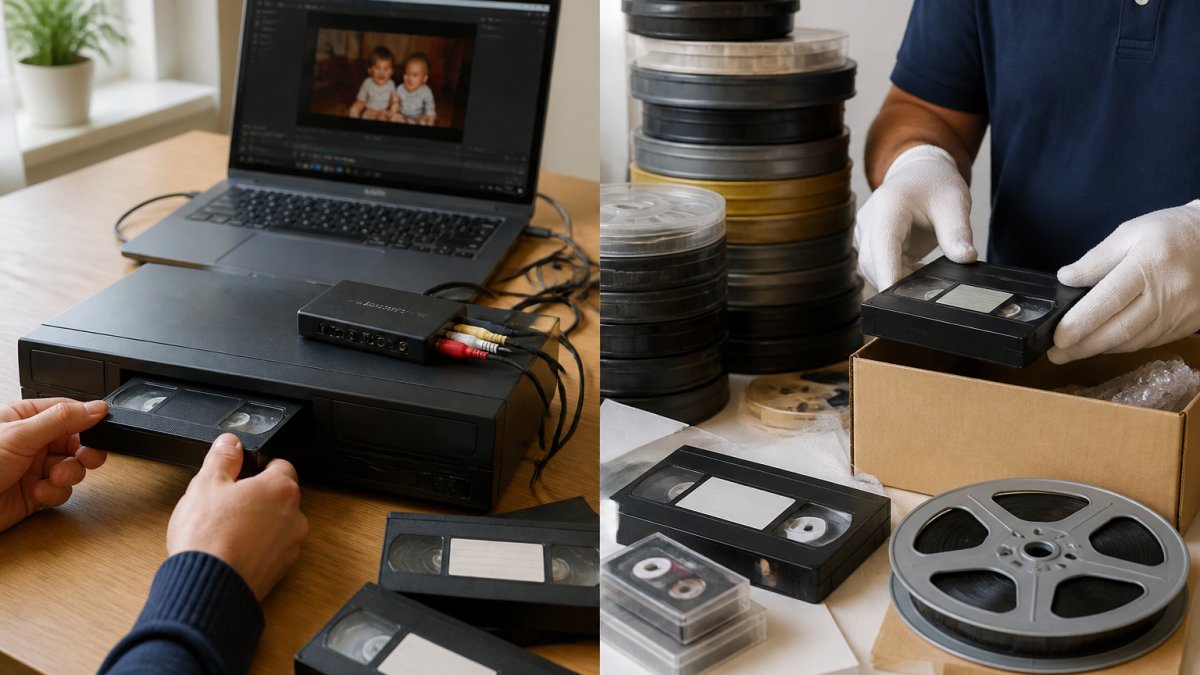
Equipment, Time, and Risk
A decent capture device costs $100-150.
The time commitment is substantial: twenty tapes at 2 hours each means 40 hours of capture alone, and 60+ hours once you add setup, troubleshooting, file organisation, and backup.
The risk is real too. Capture devices sometimes drop frames or produce sync issues, forcing restarts.
Professional digitisation eliminates these risks. Showbiz Video Productions handles the equipment, time, and technical complexity, you drop off tapes and get back clean, verified digital files.
Mail-in Video Digitisation Service: Safety, Chain of Custody, and Insurance
Sending irreplaceable family videos through the post creates legitimate anxiety, and how a provider manages it matters as much as the digitisation itself. Chain of custody, insurance, and damaged-media handling are where mail-in and local services differ most, and where the fine print matters.
What Chain of Custody Actually Means
Chain of custody is the documented record of who has your media, where it is, and what happened at each step. A robust chain includes:
- Tracked inbound shipping with signature on delivery, so receipt is provable.
- A logged intake record noting quantity, format, and visible condition of each item on arrival.
- A unique job reference for correspondence.
Ask any mail-in provider to describe this in writing before you send anything. If they can’t, the chain isn’t documented.
Insurance: What It Covers and What It Doesn’t
Most reputable mail-in services insure shipments against loss or damage in transit, but cover is usually capped and rarely reflects sentimental value. Typically there’s a maximum claim per shipment or item, with the customer responsible for anything above that cap.
Key questions to ask:
- What is the maximum payout per item and per shipment?
- Is cover automatic, or must you declare a value and pay a premium?
- Does it cover damage during digitisation, or only transit?
- What evidence is required for a claim, photographs, receipts, condition reports?
Insurance compensates; it does not recover. A payout cannot replace footage of a wedding, a first step, or a voice you no longer hear. Treat insurance as a backstop, not a reason to relax your own precautions.
Protecting Your Irreplaceable Media
If you choose mail-in, take these precautions:
- Use tracked, insured shipping both ways, with signature on delivery so receipt is provable.
- Photograph every tape before sending it, labels, spines, existing damage, as evidence if a dispute arises.
- Request written confirmation at intake and dispatch.
- Declare a value if standard cover is below what the footage is worth to you.
Damaged and Mould-Affected Media
Fragile, mouldy, or previously chewed tapes need special handling, and not every provider is equipped for it. Active mould can contaminate other tapes and equipment, so it must be isolated and cleaned before touching a shared deck.
What to ask about damaged media:
- Is assessment free, or charged per tape?
- What is the repair limit, how many passes before a tape is declared unrecoverable?
- Is mould remediation offered, and done in a separate area to avoid cross-contamination?
- What happens to a tape that cannot be digitised, is it returned, and is the assessment fee refunded?
Local drop-off services sidestep transit risk entirely: you keep your originals until digitisation is complete, inspect them before and after, and there’s no shipping, no lost package, and no ambiguity about who held your media.
Before sending media anywhere, get three things in writing: the chain-of-custody process, the insurance cap and what it covers, and the damaged-media policy. If a provider cannot supply all three, choose a local drop-off instead.
Australia Post guidance on sending fragile and valuable items
Which Option Should You Choose?
The decision comes down to what matters most: cost, speed, control, or convenience.
Decision Framework: Local Drop-off, Mail-in, or DIY
| Factor | Local Drop-off | Mail-in Service | DIY Conversion |
|---|---|---|---|
| Speed | Same-day to 1 week | 3-4 weeks plus shipping | 2+ hours per tape |
| Cost per tape | $6+ (transparent pricing) | $10+ plus shipping both ways | $5-10 equipment cost amortised |
| Risk to originals | Minimal; you see the facility | Moderate; shipped twice | Minimal; in your hands |
| Technical skill required | None | None | High |
| Time commitment | 30 minutes drop-off | 10 minutes to pack | 40+ hours for 20 tapes |
| Quality control | Professional equipment and expertise | Professional but remote | Depends on your setup |
| Best for | Speed, peace of mind, mixed formats | Convenience if far from service | Budget-conscious, patient |
Choose local drop-off if: You want fast digitisation, media handled by professionals you can meet, and transparent pricing.
Choose mail-in if: You live far from a facility, have a small collection, and don’t mind waiting 3-4 weeks, the convenience offsets the longer turnaround and shipping costs.
Choose DIY only if: You have significant technical skill, patience for a multi-week project, and a small collection where the time investment makes sense.
Frequently Asked Questions
What is the best service to digitise VHS tapes?
The best service depends on your priorities. Local digitisation services offer same-day turnaround and hands-on quality control, making them ideal if you value speed and direct communication. Look for providers with transparent pricing and customer reviews confirming reliable handling of irreplaceable media.
Is it safer to mail VHS tapes to a digitising service or use a local provider?
Both can be safe if the provider has proper insurance and documented chain of custody. Local drop-off eliminates shipping risk and allows you to inspect your tapes before and after. Mail-in services should provide tracking, insurance coverage, and written guarantees about media handling. Ask any provider, local or mail-in, about their damage policy, insurance limits, and how they store originals during processing. Reputable services keep detailed records of every item received and returned.
What is the best format to convert VHS to digital?
MP4 and MOV are the most versatile formats for playback on modern devices and sharing with family. Professional services often deliver in H.264 codec at a resolution depending on your original tape quality. Ask your digitisation provider what formats they offer and whether you can request multiple copies in different formats for archival and sharing. Higher bitrate files preserve more detail but require more storage space.
Can I digitise my own VHS tapes?
Yes, but it requires specialist equipment (a video capture card or USB digitiser), a working VCR, editing software, and significant time. DIY digitisation costs upfront for equipment and risks damaging irreplaceable tapes if you make mistakes. Professional services handle the technical complexity, offer restoration features like noise reduction, and protect your originals with proper handling. For tapes with sentimental or historical value, professional digitisation is usually worth the investment.
What should I ask before choosing a media digitisation service?
Ask about supported formats (VHS, Hi8, 8mm film, etc.), turnaround time, final file formats, restoration options, pricing per item, insurance coverage, chain of custody procedures, and whether they provide both a master file and a sharing copy. Request samples of their work and check customer reviews. Confirm whether pricing is transparent with no hidden fees, and whether they offer same-day service or mail-in options. Ask how they handle damaged or degraded media and what happens if playback fails.
For most families, local digitisation wins. It’s faster, safer for your originals, and often cheaper once you factor in shipping costs. Showbiz Video Productions offers same-day service, professional-grade equipment, and transparent pricing starting at $6 per item. Get a quote and see how quickly you can restore access to your family’s memories.