
Table of Contents
- Why You Need a Diskbank Alternative for Media Transfer
- What to Look for in a Media Transfer Service
- Cost of Converting VHS to Digital: What to Budget
- USB vs DVD for Home Movies: Storage Comparison
- Best Media Digitisation Services: Comparison and Selection
- DIY vs Professional Service: Cost-Benefit Analysis
- Long-Term Digital Preservation: Protecting Your Files
- Frequently Asked Questions
Last Updated: October 3, 2026
Why You Need a Diskbank Alternative for Media Transfer
When your VHS tapes, film reels, and vinyl records sit in boxes gathering dust, you’re not just storing old media, you’re watching memories fade. Magnetic tape degrades over time. Film becomes brittle. Without exploring media transfer alternatives, these irreplaceable moments could be lost forever.
Not every service fits every situation. Some prioritise speed over quality, others charge premium prices for standard work, and some handle only one format. At Showbiz Video Productions, we’ve worked with thousands of families who faced this dilemma: how to choose the right media transfer alternatives when the stakes are this high.
This guide covers the equipment and processes that preserve quality, storage options that keep files safe for decades, and the cost-benefit analysis for professional versus DIY conversion.
What to Look for in a Media Transfer Service
Quality digitisation depends on three factors: the equipment used, the process followed, and track record with your specific formats.
Equipment quality and digitisation process
Professional-grade equipment captures every frame at full resolution and preserves colour grading and audio fidelity. Consumer devices compress files, skip frames, or introduce colour drift.
Professional equipment handles degraded tape without damage, maintains precision tension for film, and uses proper needle tracking for vinyl. This equipment is expensive, which is why budget services often skip it.
Ask services: What resolution do they capture at? Do they use hardware-based conversion or software upscaling? Can they handle your formats in-house? In-house services typically deliver better results than those that outsource.
Turnaround times and service scope
Realistic turnaround depends on complexity: simple VHS conversions take 3-5 business days, film restoration with colour correction takes 2-3 weeks. A reliable service gives honest timelines upfront and communicates if damage requires extra care.
Check whether they handle multiple formats in one order and offer optional services like colour correction, audio enhancement, or damage repair. Broader scope means fewer vendors and more consistent results.
Cost of Converting VHS to Digital: What to Budget
Digitisation pricing varies widely depending on format, length, and service level. Understanding what drives costs helps you make a smart choice rather than defaulting to the cheapest option.
Format-specific pricing breakdown
VHS conversion is typically most affordable. Many services charge a flat rate per tape regardless of duration.
8mm and Super 8 film require cleaning, precision scanning, and often frame-by-frame colour correction. Physical damage restoration adds to the cost.
Vinyl records and audio cassettes require cleaning and specialised needle tracking; cassettes often need tape path cleaning and tension adjustment.
Slide and photograph scanning is available. Batch orders often qualify for volume discounts.
Output format and file delivery costs
Additional output formats beyond the base price are available. Cloud backup or delivery may add to the cost. Premium USB drives or custom labelling may also add to the cost.
Volume and batch discounts
Batch discounts reduce per-tape costs. Mixed-format orders may incur a setup fee; clarify this upfront.
Hidden costs to clarify upfront
Expedited turnaround costs more. Restoration services (tape cleaning, colour correction) are rarely included in base pricing. Insured shipping adds to the cost. Clarify whether format conversion after delivery is free or charged.
Cost-benefit: when to invest in premium services
Budget services offer basic digitisation without restoration. Mid-range services include colour correction and multiple formats, appropriate for most collections. Premium services include professional restoration and archival guidance, worth the investment for irreplaceable or damaged originals.
For 30 VHS tapes in good condition, budget for a mid-range service. Additional costs may apply if tapes are damaged, or for dual formats and cloud backup.
USB vs DVD for Home Movies: Storage Comparison
Storage medium and file format both determine long-term accessibility. A high-quality AVI file is worthless if your Smart TV won’t read it.
File format compatibility: the foundation of storage choice
Before choosing between USB and DVD, understand what formats your devices actually support.
MP4 is the universal standard, playable on all modern devices and cloud services. MOV works for Apple-only households but creates compatibility friction with mixed devices. AVI is increasingly unsupported; avoid it unless archiving for long-term preservation only.
USB drives: working copies and active access
USB drives offer speed and convenience but degrade over 5-10 years due to bit rot. Use USB as a working copy for regular access, paired with more stable long-term storage. Store in cool conditions and replace every 5-7 years.
DVD: archival storage for MP4 and MOV
DVDs remain readable for 25-50 years when stored properly and don’t degrade from repeated access. They’re slower and hold less data (4.7 GB) than USB drives, but excel as archival copies. MP4 and MOV files on DVD can be read by any computer with a DVD drive and transferred to modern devices as needed.
External hard drives: the practical middle ground
External hard drives offer large capacity, fast access, and 7-10 year longevity. Keep one at home and one in a separate location to protect against loss or theft.
Recommended storage strategy by format
If your files are in MP4 format (the recommended choice): Store one copy on a USB drive for regular access and sharing. Create a second copy on an external hard drive kept in a separate location. Burn the most important videos to DVD for archival backup. This three-tier approach protects against device failure, accidental deletion, and long-term degradation.
If your files are in MOV or AVI format: Do not rely on USB or DVD alone. Convert these formats to MP4 first, then apply the three-tier strategy above. Keeping files in older formats without a conversion plan means you’ll eventually face a situation where no device can play them.
If you’re receiving digitised files from a professional service, ask what format they’re providing and whether they can convert to MP4 at no extra cost. MP4 compatibility eliminates storage medium anxiety; you can confidently store files on any medium knowing they’ll play on any future device.
Best Media Digitisation Services: Comparison and Selection
Choosing the right service means matching your priorities to what each provider actually delivers. Some specialise in speed. Others focus on restoration quality. Some handle every format; others specialise narrowly.
Showbiz Video Productions stands out because we combine professional-grade equipment, transparent pricing, and genuine expertise with a focus on your specific needs. Over 20 years, we’ve converted thousands of collections, everything from single VHS tapes to complete archives spanning multiple formats. Our same-day service isn’t a gimmick; it’s what we deliver on straightforward jobs because we’ve invested in the equipment and workflow to make it possible.
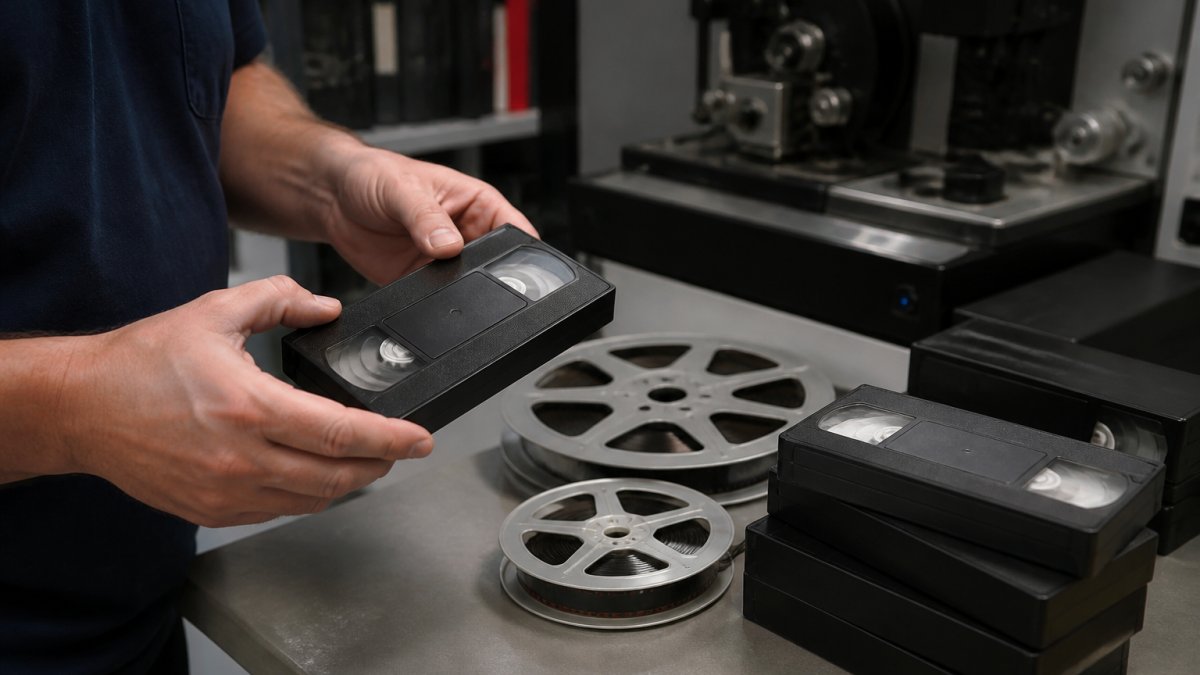
What sets us apart is how we handle edge cases. A tape that’s warped or tangled? We have the equipment and expertise to recover it. A film reel with missing frames or fading colour? We restore it, not just convert it. Mixed formats in one order? We process everything together, so your entire collection arrives as a cohesive digital archive.
Our pricing is straightforward, you pay only for what you use, with no hidden fees. We offer multiple output formats so your files work on any device. We include backup copies and provide guidance on long-term storage so your digitised memories stay safe.
When you’re comparing alternatives, ask yourself: Do I need speed or restoration quality? Can I trust this service with irreplaceable originals? Will I understand what I’m getting before I hand over my media? The answers to those questions should guide your choice.
DIY vs Professional Service: Cost-Benefit Analysis
The temptation to digitise media yourself is understandable, especially if you’re budget-conscious. Consumer-level capture devices are cheaper than professional services. But the hidden costs of DIY often outweigh the savings.
DIY capture requires hardware: a USB capture device (£20-100), a functioning VCR or film projector (£50-500 if you need to buy one), and editing software (free to £100+). You need technical knowledge to configure the hardware, troubleshoot connection issues, and manage file formats. The process is time-intensive, digitising a single two-hour VHS tape takes at least three hours of active work, plus time to learn the process.
Most critically, consumer capture devices sacrifice quality. They typically capture at 480p resolution instead of 720p or 1080p. They compress video during capture, losing detail that can’t be recovered. They often introduce colour shifts or audio sync issues that become obvious only after you’ve spent hours on the project.
Professional services handle the technical complexity. They own equipment designed specifically for media digitisation. They’ve processed thousands of tapes, so they know how to handle damage, degradation, and edge cases. They deliver consistent, high-quality results. The cost is reasonable when you factor in the time, equipment, and expertise you’d otherwise need to invest.
The break-even point varies. If you have fewer tapes, DIY might make sense if you’re technically confident. If you have more, professional service becomes clearly more cost-effective. For irreplaceable family memories, professional service is almost always the right choice because the quality difference is substantial and the cost difference is modest.
Long-Term Digital Preservation: Protecting Your Files
Digitising your media is only half the battle. The real challenge is ensuring those files remain accessible and uncorrupted for decades.
Digital files degrade through multiple mechanisms: bit rot in storage media, format obsolescence (will MP4 players exist in 2050?), and simple neglect (a forgotten external drive in a drawer). A preservation strategy addresses all three.
Create multiple copies in different formats and locations. One copy on a USB drive for regular access. One copy on DVD for archival storage. One copy in cloud storage with encryption and version history.
Store physical media, USB drives, DVDs, external hard drives, in cool, dark, dry conditions. Heat and humidity accelerate degradation. A climate-controlled closet beats a hot attic. A safe deposit box beats a shelf in your garage.
Choose durable file formats. MP4 is widely supported and will likely remain readable for decades. Proprietary formats or compression codecs might become obsolete.
Document your collection. Keep a simple list of what you’ve digitised, what format it’s in, where copies are stored, and when the conversion was completed. This metadata becomes invaluable if you need to restore files or share them with family members later.
Professional digitisation services often include preservation guidance as part of their service. They know which formats age best, which storage methods are most reliable, and how to structure your archive for long-term access.
Digitising your media collection is an investment in your family’s history. Learn more about professional media digitisation standards and digital preservation best practices to understand what quality looks like before you commit.
Frequently Asked Questions
What are the best alternatives to Diskbank for digitising VHS tapes?
Professional media transfer services vary in equipment quality, turnaround speed, and file format options. Look for providers offering professional-grade digitisation equipment, transparent pricing, and experience with multiple formats including VHS, 8mm film, and cassettes. Fast turnaround times and secure handling of irreplaceable originals are critical factors. Compare service scope, storage format options (USB, DVD, cloud), and whether they offer restoration features for degraded tape.
How do I choose a reliable media transfer service for old film reels?
Verify the service has dedicated equipment for film digitisation, not just VHS conversion. Ask about their process for handling fragile or damaged reels, the resolution and frame rate they capture at, and what file formats they deliver. Check whether they offer colour correction or restoration. Request references or examples of previous film work. Confirm they store originals securely during the transfer process and provide clear documentation of your media throughout.
Is it better to digitise media to USB or cloud storage?
USB drives offer offline access, no subscription costs, and work with any device without internet dependency. Cloud storage provides automatic backup, access from anywhere, and protection against physical drive failure. For family archives, many people choose USB for primary storage paired with cloud backup for redundancy. Consider your comfort with technology, internet reliability, and whether you need to share files with relatives. USB suits those wanting complete control; cloud suits those prioritising accessibility and safety.
How long does professional media digitisation usually take?
Turnaround depends on volume and service provider. Small orders of 5-15 tapes may be completed within days or same-day in some cases. Larger collections can take weeks. Ask your service provider about their current backlog and whether they offer priority processing. Same-day or next-day service typically applies to smaller batches. Always confirm the timeline before submitting media, especially if you need files for a specific event or deadline.