Last Updated: November 10, 2026
Quick Summary
Digital media archiving protects family memories better over the long run, because files can be checked, copied and searched easily, while physical tapes degrade and are hard to find. Physical originals still matter as a fallback. The strongest approach combines a digital archive with at least two stored copies and carefully kept originals.
- Magnetic media typically lasts 10 to 20 years under optimal conditions, while optical media can last up to 30 years.
- Digital files face bit rot, so regular integrity checks and periodic copying are needed.
- Keep at least three copies on two types of storage, with one copy kept off-site.
- Digitise the most fragile tapes first, because degradation accelerates once it begins.
- Do not destroy original tapes until the digital copies are verified and copied to at least two locations.
Table of Contents
- Digital Media Archiving and Traditional Storage: What Each Term Means
- How Long Each Format Lasts: Lifespan, Degradation and Bit Rot
- Storage Space, Access and Searchability Compared
- Total Cost of Ownership: Physical Storage Versus Digital Archives
- How to Preserve Old Family Videos Without Losing Them
- Digital File Backup Best Practices and Hard Drive vs Cloud Storage for Videos
- Physical Media Storage Conditions and a Hybrid Plan for Your Family Archive
- Frequently Asked Questions
Digital Media Archiving and Traditional Storage: What Each Term Means
Digital media archiving is the process of converting recordings into files and keeping them on drives or in cloud storage. Traditional storage keeps the original physical media, such as tapes, film or discs, in a box or cabinet. The two terms are often used loosely, but they describe different tasks. Archiving is about long-term preservation, while backup is about recovering from a sudden loss.
Many people confuse these. A digital copy on one hard drive is a backup. A managed set of copies, checked and migrated over time, is an archive. Keep that distinction in mind as you read.
How Long Each Format Lasts: Lifespan, Degradation and Bit Rot
Physical media has a limited life. The Texas State Library and Archives Commission (via Preservica) notes that magnetic media typically lasts 10 to 20 years under optimal conditions, while optical media can last up to 30 years under the same conditions (Texas State Library and Archives Commission best practices for long-term preservation of electronic records).
Digital files face a different threat called bit rot, where stored data slowly corrupts without any visible sign. A file can open fine for years and then fail silently. Regular integrity checks and periodic copying are the usual defences. Neither format is permanent on its own, and a digital file is only as safe as the system that keeps it accessible.
Storage Space, Access and Searchability Compared
Physical tapes take up shelf space and are hard to search. Finding one clip means pulling tapes and watching them in sequence. Digital archives solve that problem, since files can be tagged, named and searched in seconds. Research on the field points the same way: digital archiving is increasingly defined by search methodologies that make retrieval easier than with physical storage (WoodWing industry analysis of digital archiving and searchability).
Access is where the balance shifts. A physical tape needs a working player. A digital file needs a compatible format and a device that still reads it. Both demand planning, but the digital route gives you far more flexibility once the files are in place.
| Factor | Physical Tape | Digital Archive |
|---|---|---|
| Space needed | Shelves and boxes | Drive or cloud account |
| Search speed | Slow, manual | Fast, tagged and indexed |
| Playback needs | Original player | Any compatible device |
| Main risk | Physical degradation | Format and bit rot |
Total Cost of Ownership: Physical Storage Versus Digital Archives
Most comparisons stop at the price of a digitising job or the rent of a storage unit. A fairer test is total cost of ownership over the full life of the collection, which covers every stage from first capture to eventual retirement of the files. Compared this way, the two approaches fail in different places.
For physical originals, the recurring costs are less visible but persistent. They include climate-controlled or at least dry and stable storage space, periodic inspection, the cost of replacement playback equipment as machines age out of service, and the handling risk every time a tape is retrieved. None of these costs is large in any single year, which is why they are easy to underestimate.
For a digital archive, the costs are front-loaded and then recur in cycles. The first stage is capture, which is the largest single expense for most collections. After that come storage media, redundant copies in at least two locations, software or a managed service for indexing, and staff time for integrity checks. The most predictable recurring cost is migration: every several years, files need moving to new media and sometimes to new formats, which carries both a labour cost and a verification cost.
A practical way to model this is to set out the collection in three columns: one-off costs (capture, equipment, initial indexing), recurring annual costs (storage, cloud subscriptions, insurance, inspection time) and periodic costs (migration cycles, hardware refresh). Cost per record is then the useful comparison metric, because it lets you judge a 200-item family collection against a 20,000-item institutional one on the same scale. Totals should be calculated over a fixed horizon, such as twenty years, so that the two options are compared on the same basis.
Over a long horizon, the digital route usually costs more at the start and less per year afterwards, while physical storage is cheap to begin with but accumulates risk and handling costs. The right answer depends on how many items you hold, how often you need them, and how long you need to keep them. Balancing those costs also means deciding which heirlooms deserve a physical home alongside digital copies, a choice that can be considered through Heart and Light Studio.
How to Preserve Old Family Videos Without Losing Them
Preserving a family video collection is less about one decision than about a sequence of them. The order in which you act matters as much as the act itself, because the most fragile tapes are the ones most likely to be lost before anyone gets to them.
Start with an inventory. Write down every tape, its format, its approximate length, any visible label, and whether the contents are known. A simple spreadsheet is enough. This step takes an evening but turns a loose pile of cassettes into a list you can prioritise.
Next, triage. Sort tapes into three groups: those showing visible damage such as mould, sticky shed or a squealing playback, those irreplaceable because they record people or events that cannot be recreated, and the rest. If you are weighing whether to digitise these yourself or hire a service, compare VideoRescue and local digitisation providers before committing. Digitise the first group soonest, because degradation accelerates once it begins. Within that group, a tape that smells of vinegar or looks clouded should be handled with extra care, since those are signs of deterioration that can spread to neighbouring tapes if they are stored together.
For storage of the originals while you wait, keep tapes upright in their cases, in a cool, dry, dark place, away from speakers, magnets and direct heat. Avoid attics and garages, where temperature swings drive moisture into the tape. Do not play a fragile tape to check what is on it, because every pass adds wear and can shed oxide onto the heads of the player.
When the files exist, verify them. Play a sample of each batch from start to finish and note any dropouts, audio problems or truncated clips. Record the file format, frame rate and resolution in a sidecar text file beside each video, so that future migrations do not depend on memory. Label files with the date and the people in the footage, using a consistent naming pattern.
Finally, keep the originals until the digital set is confirmed and copied to at least two locations. Destroying an original before the copies are verified removes the only way to recover from a faulty transfer.
Watch out: a file that plays on your current computer may still depend on a codec that other devices cannot read, so test the copies on a different device before you rely on them.
Digital File Backup Best Practices and Hard Drive vs Cloud Storage for Videos
Once you have digital files, follow the basic rule of keeping at least three copies on two different types of storage, with one copy kept off-site. In practice that might mean two external hard drives and a cloud account, with one drive stored at a relative’s house.
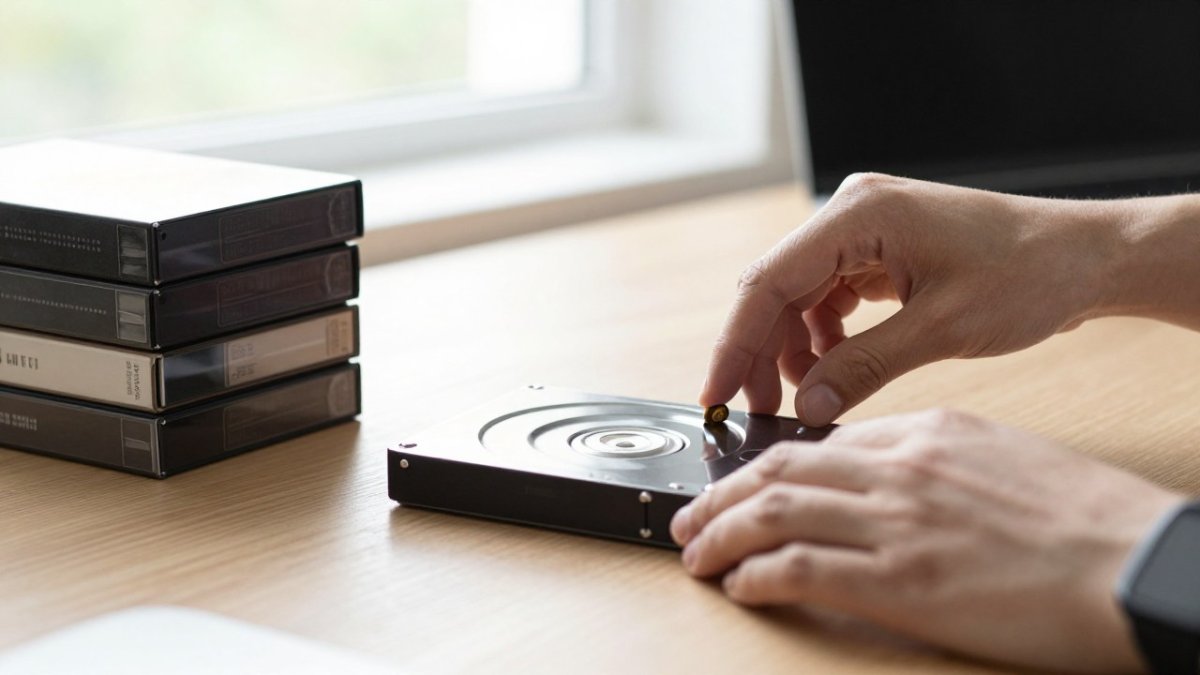
Hard drives are fast and cheap per terabyte, but they can fail mechanically and need rechecking every few years. Cloud storage removes the need to manage hardware and protects against local disasters, though it depends on a subscription and on the provider staying in business.
!Hands sorting a labelled external hard drive beside a stack of VHS tapes on a wooden table in a bright home office
Physical Media Storage Conditions and a Hybrid Plan for Your Family Archive
If you keep any original tapes, store them in a cool, dry, dark place with stable humidity. Avoid attics, garages and damp basements. Keep each tape in its case, stand it upright and keep it away from magnets and speakers.
For most families, a hybrid plan works best. Digitise the collection, keep the originals in good conditions as a fallback, and maintain at least two digital copies in different locations. To see how keeping physical tapes compares with converting them to digital, read the direct comparison of digital conversion and physical tape storage. Start with the tapes that matter most and work down the list. If you want to see what that process involves for your own collection, check out our guide to how to backup digitised media or compare the costs in our cost of digitising old media collections guide. Our team at Showbiz Video Productions can also help you decide which tapes to prioritise, and you can request a quote for your collection today.
If you are weighing digital archiving against keeping the originals, Showbiz Video Productions can convert your VHS, film, cassettes and vinyl so your memories stay safe and easy to watch on modern devices. Ask us for a quote, and we will tell you exactly what your collection needs.
Frequently Asked Questions
What is the difference between digital archiving and traditional storage?
Traditional storage keeps the original physical item, such as a VHS tape, film reel or photo album, in a cupboard or box. Digital archiving converts that content into files and stores them on drives or in cloud services with an organised index. Physical items degrade with heat, humidity and age, and they need playback equipment to be viewed. Digital files can be copied, checked for errors and shared easily, but they depend on readable formats and maintained storage. Many families use both, keeping originals while working from digital copies.
Is digital archiving better than physical storage?
Digital archiving is usually better for access and for protecting content from physical decay, because files can be copied and checked for integrity and shared with relatives in seconds. Physical storage can still hold value as an original, and some formats, such as well-kept film, have long lifespans when stored in cool, dry, dark conditions. The best choice depends on what you need: easy viewing favours digital, while keeping the original favours physical. Most households benefit from a combination of both approaches.
How long do digital files last in storage?
Digital files do not age in the same way as tape, but they can become unreadable through hardware failure, bit rot or format obsolescence. Digital files do not age in the same way as tape, and their lifespan depends on the storage device and conditions. Regularly copying files to new media and checking them keeps them usable far longer than any single device would.
Should I keep the original tapes and film after digitising them?
Keeping the originals is generally sensible until you are confident the digital copies are complete, checked and backed up in more than one location. Originals provide a fallback if a transfer has an error or if a better conversion becomes possible later. Store them in a cool, dry, dark place away from direct sunlight, and avoid damp areas such as sheds or laundries. Once you have verified backups, you can decide whether to keep or dispose of the physical items with confidence.
