
Table of Contents
- Why Families Choose Alternatives to Tapes to Digital
- Professional VHS to Digital Conversion Services
- VHS to Digital Converter Hardware and DIY Methods
- Evaluating VHS to Digital Quality and Output Formats
- Digital Video Backup Options for Long-Term Preservation
- Choosing the Right Option for Your Family Needs
- Frequently Asked Questions
Last Updated: October 10, 2026
Why Families Choose Alternatives to Tapes to Digital
Aging home video collections sit in boxes across thousands of households, making a tapes to digital alternative increasingly necessary. VHS tapes, camcorder tapes, Super 8 film, and 8mm film reels deteriorate silently. Without intervention, these irreplaceable family memories, first steps, weddings, holidays, fade and become unplayable within years.
The question is which approach makes sense for your family’s situation. The answer depends on your priorities: turnaround time, budget, quality standards, and control over the process.
This guide covers professional local options, DIY hardware approaches, storage solutions, and how to choose based on your priorities.
Professional VHS to Digital Conversion Services
Professional conversion services use commercial-grade equipment, manage originals with care, and deliver polished digital files. The trade-off is cost and turnaround time, though some providers specialise in speed.
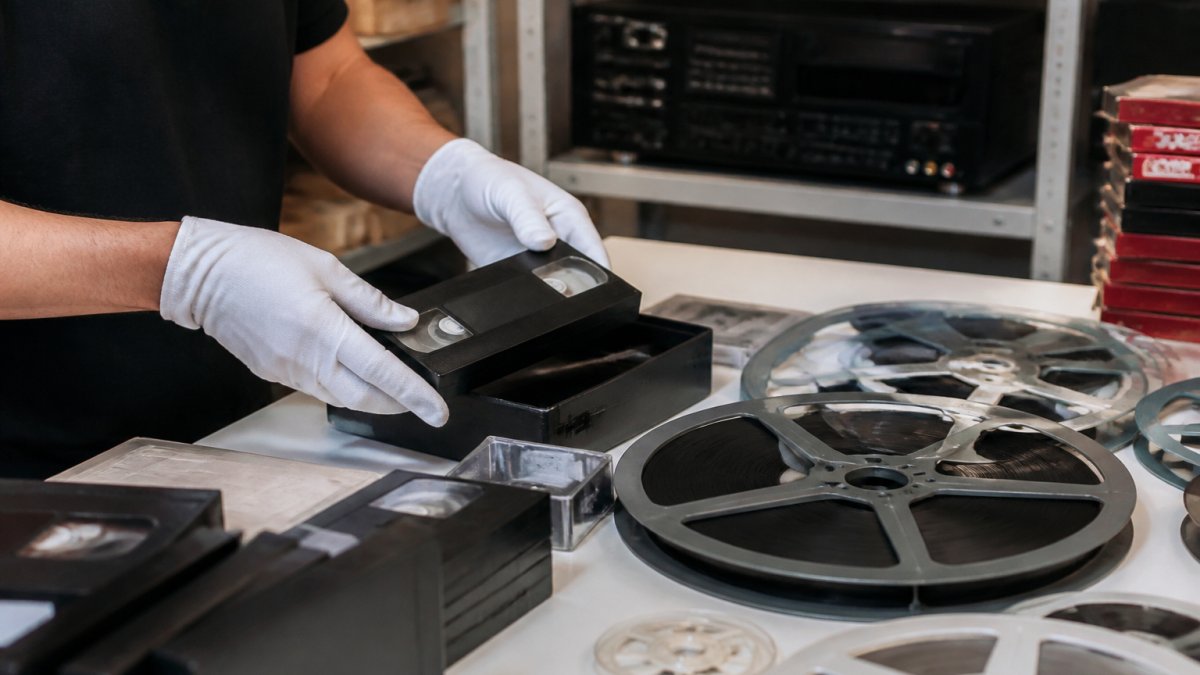
Local and Express Options
Local services offer personal contact and faster turnaround. Showbiz Video Productions provides same-day service for most jobs. With over 20 years of experience, local providers understand the emotional weight of these materials and take extra care with damaged or degraded tapes.
Working locally lets you discuss your collection, ask questions about formats, and pick up files without shipping delays. A full-service local provider eliminates coordinating with multiple vendors.
Mail-In Services
Mail-in services like Legacybox and iMemories accept tapes by post and return digital files weeks later. The convenience is not needing to visit a location; the drawback is turnaround time and shipping risk.
VHS to Digital Converter Hardware and DIY Methods
DIY conversion uses consumer-grade USB capture devices and analogue-to-digital converters (£20-£80) to connect your VCR or camcorder to a computer and record the video output as a digital file.
Equipment and Technical Requirements
To attempt DIY conversion, you need:
- A functioning VCR, camcorder, or film projector (depending on tape format)
- A USB capture device or video-to-digital converter
- A computer with sufficient storage (typically 20-50 GB for a modest collection)
- Video capture software (some devices include this; others require free or paid alternatives like HandBrake or OBS)
- Cables, adapters, and connectors appropriate to your source device
Most playback devices from the 1990s and early 2000s no longer function reliably. VCRs develop mechanical wear, and even if yours powers on, it may produce unstable playback, colour dropout, or audio sync issues, problems consumer capture devices cannot correct.
Quality and Output Reality
Consumer-grade converters capture at 720×480 resolution with poor colour accuracy and inconsistent audio. Professional equipment applies colour correction, audio normalisation, and frame-rate stabilisation automatically; DIY setups require manual post-production adjustment, a skill most families lack.
Damaged or degraded tapes present a hard barrier. Professional services have cleaning equipment and restoration techniques to recover footage that DIY users cannot play.
Time and Hidden Costs
Converting 50 tapes at 2-3 hours per tape requires 100-150 hours of work. At £25 per hour, this equals £2,500-£3,750 in labour cost, often exceeding professional service fees.
Equipment failures are common. USB capture devices may not work reliably with older VCRs, drivers may not install on modern operating systems, and software compatibility issues can render your partially converted files unplayable. Troubleshooting these problems requires technical knowledge and patience; many families abandon the project halfway through.
When DIY Makes Sense
DIY conversion is genuinely practical only for:
- Small collections (fewer than 10 tapes) where total time investment remains under 20 hours
- Tapes in excellent condition with no visible damage or degradation
- Families with technical confidence and access to IT support
- Situations where quality standards are low (home videos for personal viewing only, not archival preservation)
For any collection larger than 10 tapes, in mixed condition, or where quality and long-term preservation matter, professional conversion eliminates risk, saves time, and produces superior results.
Evaluating VHS to Digital Quality and Output Formats
Quality varies dramatically across conversion methods. Professional services use broadcast-grade equipment that captures video at higher resolution and with better colour accuracy than consumer devices.
Output format matters for long-term usability. Professional providers typically deliver MP4 files, which play on virtually any modern device, televisions, computers, tablets, smartphones. Some also offer DVD output for families who prefer physical media.
Resolution and restoration are separate considerations. Standard VHS captures at roughly 720×480 pixels. This adds cost but can dramatically improve watchability for precious family memories.
File naming and organisation matter too. Professional services typically label files with dates or descriptions, making it easy to find specific memories.
Digital Video Backup Options for Long-Term Preservation
Once converted to digital, your files need reliable storage. This is where many families stumble. A single hard drive is not a backup strategy; drives fail without warning, and a single point of failure means losing everything. True preservation requires redundancy, multiple copies in different physical locations, using different storage media, so that no single failure event can destroy your memories.
Understanding Backup Redundancy
The industry standard for critical data is the 3-2-1 rule: keep three copies of your files, on two different types of media, with one copy stored offsite. For family video collections, this translates to:
- One copy on your primary storage device (external hard drive at home)
- One copy on a second device type (cloud storage or a second external drive)
- One copy stored geographically separate from your home (offsite backup)
Without this redundancy, you are gambling. A single house fire, theft, or device failure wipes out your entire collection. Professional digitisation services have already converted your originals to digital; if you lose the digital files without backup, you have lost the memories permanently.
Cloud Storage and Online Access
Cloud services like Google Drive, OneDrive, Dropbox, and iCloud offer convenient access from any device. Upload your digital files and retrieve them from your phone, tablet, or computer anywhere with an internet connection. Family members can access shared folders, making it easy to distribute memories across relatives without sending large files via email.
Advantages:
- Automatic synchronisation across devices
- Accessible from anywhere with internet
- Easy family sharing without managing permissions manually
- Protection against local device failure or theft
- Providers maintain redundancy on their own servers
Limitations and Risks:
- Internet dependency; you cannot access files if your connection fails
- Privacy policies vary; some providers scan files for content moderation
- Data breaches are rare but possible; your files exist on servers you do not control
- Storage costs escalate for large collections (100 GB of video may cost £2-£5 per month)
- Deleted files may be recoverable for 30 days, but permanent deletion is permanent
- Terms of service can change; a provider could shut down or restrict access
Cloud storage is best used as one layer of a broader strategy, not the sole backup. Combine it with local storage for true redundancy.
Local External Hard Drives
External hard drives provide fast, affordable storage under your control. A 2 TB drive costs £40-£80 and holds approximately 200-300 hours of standard-definition video. Keep one at home for convenient access and another in a secure offsite location.
Primary drive (at home):
- Fast access for viewing and sharing
- Easy to add new files as you digitise more tapes
- Convenient for family gatherings or screening
Offsite drive:
- Stored at a trusted relative’s house, office, safety deposit box, or secure storage facility
- Protects against house fire, theft, or catastrophic local failure
- Should be updated annually or after major digitisation projects
Drive lifespan and failure:
External hard drives typically last 3-5 years before mechanical failure becomes likely. Failure is not a question of if but when; all drives eventually fail. Signs of imminent failure include clicking sounds, slow file access, or the drive not being recognised by your computer. Once a drive fails, data recovery is expensive (£300-£1,500) and not always successful.
USB Drives and Portable Media
USB drives offer portability but are easy to lose and have shorter lifespans than hard drives (typically 2-3 years of reliable use). They are useful for sharing specific videos with family members or taking a copy to a relative’s house, but should not be relied upon as primary backup. Optical media (DVDs or Blu-rays) can theoretically last 20-50 years if stored in cool, dark conditions, but playback devices are becoming harder to find, and creating large numbers of DVDs is time-consuming. Optical media is best reserved for truly archival purposes, a single master copy of your most precious memories, stored in a safety deposit box.
Implementing a Practical Three-Layer Strategy
Layer 1: Cloud backup (access and sharing)
- Upload all digitised files to Google Drive, OneDrive, or Dropbox
- Share folders with family members for easy access
- Cost: typically £0-£5 per month depending on storage volume
- Update: automatic or manual sync as new files are added
Layer 2: Home external drive (primary local backup)
- Copy all files to a 2-4 TB external hard drive kept at home
- Label the drive clearly and store it in a safe, cool location (not near heat sources or in direct sunlight)
- Cost: £40-£120 for the drive, one-time
- Update: annually or after major digitisation projects
- Lifespan: monitor for signs of failure; replace every 3-5 years
Layer 3: Offsite external drive (disaster protection)
- Copy all files to a second external drive stored offsite
- Coordinate with a trusted family member or use a secure storage facility
- Cost: £40-£120 for the drive, one-time
- Update: annually or after major digitisation projects
- Lifespan: monitor for signs of failure; replace every 3-5 years
This three-layer approach protects your memories from tape degradation, device failure, accidental deletion, and catastrophic loss. The total cost is modest (£100-£200 in hardware plus minimal cloud storage fees), and the peace of mind is substantial.
Choosing the Right Option for Your Family Needs
Your choice depends on five factors: speed, cost, quality, control, and peace of mind.
If turnaround time is critical, you need results within days, professional local services win.
If budget is the primary concern and you have technical confidence, DIY hardware conversion costs less upfront.
If you want to keep your originals in your hands and avoid shipping risk, local services are essential.
If peace of mind is the goal, choose a provider with verifiable experience and a track record.
For most families, the best approach combines professional conversion as a tapes to digital alternative with redundant digital backup.
Frequently Asked Questions
What should I compare when choosing a VHS to digital conversion service?
Prioritise turnaround time, conversion quality, pricing transparency, and equipment capability. Check whether the service handles mixed formats (VHS, 8mm film, camcorder tapes) and offers output options like MP4 files or DVD. Verify the service uses professional-grade equipment and ask about their experience with aged or damaged tapes. Customer reviews and local availability matter too, especially if you want same-day or fast service.
Can I convert VHS tapes to digital files without losing quality?
Yes, but quality depends on your original tape condition and the conversion method. Professional VHS to digital conversion services use higher-grade equipment than DIY converters, capturing more detail and colour accuracy. Aged tapes may show some quality loss regardless of method, but professional restoration can sometimes improve clarity. Output format matters, MP4 files preserve quality better than compressed formats. Always ask the service about their resolution and whether they offer quality guarantees.
Is it better to use a professional service or convert family tapes yourself?
Professional services suit families with irreplaceable memories, mixed formats, or damaged tapes. They offer quality assurance, faster turnaround, and peace of mind that originals are handled with care. DIY conversion works for small collections and tight budgets, but requires purchasing equipment and learning the process. Consider your tape quantity, budget, technical comfort, and how much the memories matter. Many families choose professional services for sentimental videos and DIY for less critical material.
What digital video backup options should I use to store my digitised family memories safely?
Use multiple backup locations: cloud storage (Google Drive, OneDrive, Dropbox) for easy access and sharing, plus external hard drives or USB drives for offline copies. This protects against data loss from device failure or account issues. Store one copy in a separate location for extra security. Cloud services offer convenience and accessibility across devices, while local backups ensure you’re not dependent on internet connectivity or subscription services.
Your family memories deserve more than a box in the attic. Whether you choose professional conversion, DIY methods, or a hybrid approach, the key is acting now, before tape deterioration makes recovery impossible. At Showbiz Video Productions, we specialise in fast, affordable conversion with professional-grade equipment and same-day turnaround for most jobs. Get a quote today and transform your aging tapes into digital files you can watch, share, and preserve for generations.