
Last Updated: October 30, 2026
Quick Summary
The best vinyl audio cleanup software depends on the noise you need to remove. Audacity is a free option for broad hiss and crackle reduction, while ClickRepair targets clicks and pops and iZotope RX offers full restoration tools. Choose a tool that matches your main problem and your existing software.
- Audacity is free and handles broadband hiss and crackle, but lacks dedicated click removal.
- ClickRepair targets clicks and pops and is sold as shareware with a trial.
- iZotope RX covers clicks, crackle, hum and clipping, and runs on Windows and macOS.
- Remove clicks and pops before applying broadband noise reduction.
- Always keep an untouched original capture before applying any cleanup effect.
Table of Contents
- Why Vinyl Audio Needs Cleaning and What Software Can Fix
- How We Compared the Vinyl Cleanup Software
- Side-by-Side Comparison of Vinyl Cleanup Software
- Using Audacity for Vinyl Noise Reduction
- Tools That Remove Clicks and Pops From Vinyl
- Free Vinyl Audio Cleanup Software and Paid Alternatives
- Choosing a Vinyl Crackle Removal Plugin and Your Next Step
- Frequently Asked Questions
Why Vinyl Audio Needs Cleaning and What Software Can Fix
Vinyl records carry a lot of memories, but they also collect clicks, pops, and surface noise over time, which is why the right vinyl audio cleanup tool matters. Before you capture anything, learn how to restore old vinyl records before recording so the source is in the best shape possible. Vinyl records often arrive with scratches, dust, and wear. The best software for cleaning up vinyl audio can remove much of that noise, but it works best when you understand what each type of noise is and which tool is built to handle it.
Clicks are short, sharp sounds caused by scratches or debris on the groove. Pops are louder, often from a larger imperfection. Crackle and hiss are the continuous background noise that softens the music. A good cleanup tool targets each of these separately, which is why the software you choose matters.
Think of cleanup as a balance. Remove too much and you can dull the music. Remove too little and the crackle distracts from the performance. The right software gives you control over that balance.
How We Compared the Vinyl Cleanup Software
This article reviews commonly discussed vinyl cleanup software, focusing on what noise each tool targets, whether it is built for vinyl, how it is priced and licensed, and what a beginner would need to get started. The points below reflect what each product is described as doing rather than measured audio results.
Prices and editions change often, so check each vendor’s site before you buy.
Side-by-Side Comparison of Vinyl Cleanup Software
The table below compares the seven products on the dimensions that actually decide a purchase: what noise each one targets, which operating systems it runs on, whether it works as a standalone editor or a plugin inside a DAW, what it exports, and how it is licensed. Prices change often and several vendors quote in USD, so treat the price column as a starting point and confirm the current AUD figure on the vendor’s site before buying.
| Software | Primary noise target | Platform | Standalone or plugin | Export formats | Licence model | Indicative price (AUD) |
|---|---|---|---|---|---|---|
| Audacity | Broadband hiss and crackle (noise reduction) | Windows, macOS, Linux | Standalone | WAV, FLAC, MP3, Ogg | Free, open source | Free |
| iZotope RX | Clicks, crackle, hum, clipping, spectral repair | Windows, macOS | Standalone (some modules as AAX/AU/VST) | WAV, FLAC, MP3 | Perpetual licence plus paid upgrades | Not verified, check vendor |
| ClickRepair | Clicks and pops | Windows, macOS, Linux (Java) | Standalone | WAV | Shareware, trial then paid | Not verified, check vendor |
| AudioLava | LP and tape noise, clicks, hum | Windows | Standalone | WAV, FLAC, MP3 | Perpetual licence | Not verified, check vendor |
| Sound Forge | General editing plus noise reduction | Windows | Standalone | WAV, FLAC, MP3 and others | Subscription or perpetual, depending on edition | Not verified, check vendor |
| VinylStudio | Ripping, track splitting, light cleanup | Windows, macOS | Standalone | WAV, FLAC, MP3, AAC | Perpetual licence, free trial | Not verified, check vendor |
| Debuzz | Hum, buzz and drifting tones | Windows | Standalone | WAV | Perpetual licence | Not verified, check vendor |
If you already edit in a DAW, prioritise tools that install as AAX, AU or VST plugins, you keep one project file and can automate cleanup across a whole side of a record. If you do not, a standalone editor such as Audacity or VinylStudio will get you from turntable to finished file without buying anything else.
A compatibility matrix like this is the part most roundups skip. The practical rule is simple: match the software to the machine you already own and the format you intend to archive in. For vinyl archiving, capture and clean in a lossless format such as WAV or FLAC, then export a compressed copy for listening. If you are unsure which lossless format to keep, read our guide to FLAC vs MP3 for vinyl archiving.
None of the prices above should be treated as final; they are a shortlist to check, not a quote.
Using Audacity for Vinyl Noise Reduction
Audacity is free, which makes it a popular starting point. You record your turntable output, then use its noise reduction effect to lower the constant hiss and crackle. The process is simple: select a section of silence, capture a noise profile, then apply noise reduction to the full track.
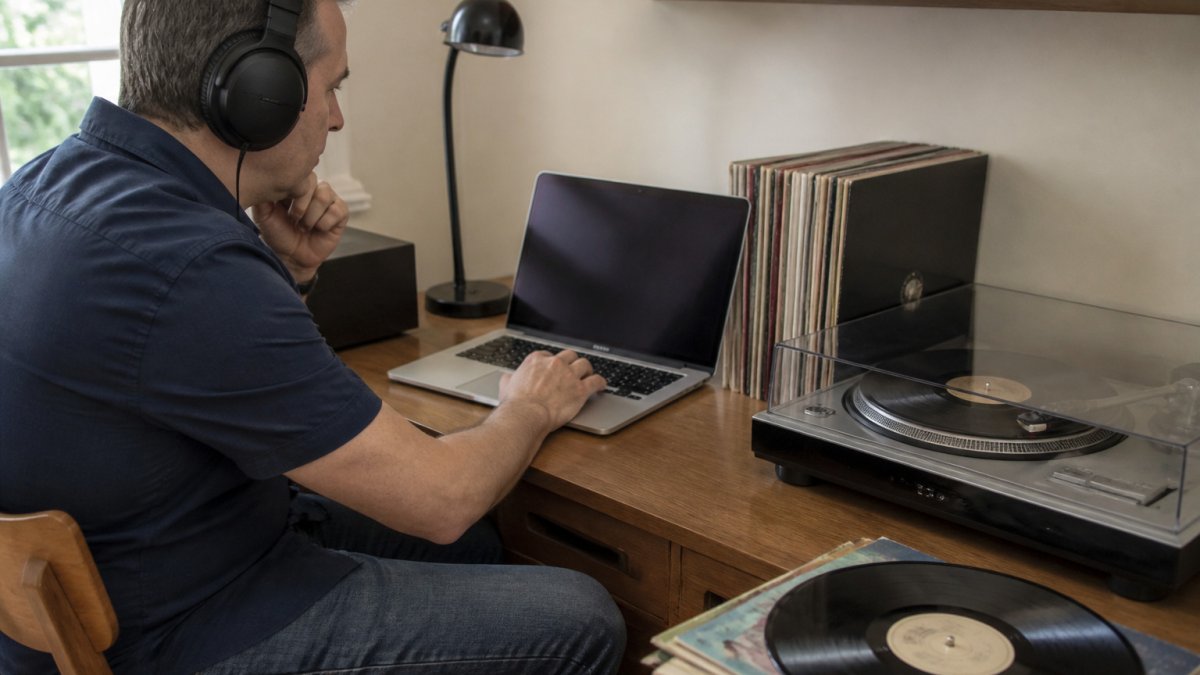
The trade-off is that Audacity does not include dedicated click and pop removal built for vinyl. Use it for broad noise reduction and editing, and consider a specialised tool for individual clicks. Keep the original recording as a backup before you apply any effect.
Tools That Remove Clicks and Pops From Vinyl
Clicks and pops are impulsive noise, very short events, often only a few milliseconds long, caused by scratches, grit or pressing faults. That is why broadband noise reduction handles them poorly: a tool that lowers constant hiss across the whole file will smear a click rather than remove it. Impulsive noise needs a detector that finds the event, then either interpolates across it or attenuates it.
There are two broad mechanisms, and knowing which one you are using explains the trade-offs:
- Threshold-based detection. The tool scans for samples that jump above the surrounding signal by a set amount and repairs them. ClickRepair works this way, with separate sensitivity settings for clicks and for longer pops. It is fast and transparent on sparse noise, but on dense crackle it can start treating sharp musical transients, drum attacks, plucked strings, brass, as clicks.
- Spectral or pattern-based repair. The tool looks at the shape of the event across frequency and time and rebuilds the missing audio. This is the approach in dedicated restoration suites such as iZotope RX, and it is more forgiving on complex material, but it is slower and easier to over-apply.
Debuzz is a different category again: it targets hum, buzz and slow pitch drift, not clicks. If your record has a steady 50 Hz hum from mains power, that is a Debuzz problem; if it has random ticks, it is a click-repair problem. Treating one with the other’s tool wastes time and can make the noise worse.
A repeatable order of work that most practitioners settle on:
- Capture at 24-bit and leave headroom, peaks around −6 dBFS, so you are not repairing clipping as well as clicks.
- Remove clicks and pops first, on the raw capture, before any broadband noise reduction. Noise reduction changes the signal the click detector is looking at.
- Apply broadband hiss and crackle reduction second, at the gentlest setting that is audible as an improvement.
- Repair individual stubborn events last, by hand, using spectral repair or redrawing the waveform.
Always work on a copy and keep the untouched capture. Click removal is destructive in most editors, and a repair you cannot undo is a repair you cannot redo at a better setting.
Judge the result on the music, not on the silence between tracks. Solo a passage with dense transients, a drum fill, a strummed chord, and A/B it against the original. If the attack has softened or the cymbals have lost their edge, back the sensitivity off and run it again. A common pattern is to process a single side, listen to the whole thing once, then adjust before committing to the rest of the collection.
For a deeper walkthrough of the final pass, see how to remove crackle from digitised vinyl.
Free Vinyl Audio Cleanup Software and Paid Alternatives
Free software lets you test your workflow without spending money. Audacity covers recording and basic noise reduction at no cost. Paid options such as iZotope RX, Sound Forge, and AudioLava offer more dedicated restoration features. Check each vendor’s site for current pricing.
For archiving, store cleaned recordings in a lossless format such as FLAC so you keep full audio quality. Read our guide to FLAC vs MP3 for vinyl archiving to decide which format suits your collection.
Choosing a Vinyl Crackle Removal Plugin and Your Next Step
Pick a crackle removal plugin based on your main problem. If clicks dominate, start with a click tool. If hum is the issue, try Debuzz. If you want an all-in-one restoration environment, a dedicated repair suite makes more sense than a free editor.
If you would rather not manage the cleanup yourself, transfer your vinyl records to digital format with a professional service. Showbiz Video Productions converts VHS, film, cassettes, and vinyl into high-quality digital files. Pricing depends on quantity, dates, and delivery, so request a quote for current figures.
Once your files are digital, you may still need to tidy up noise that remains. See how to remove crackle from digitised vinyl for practical steps on the final pass.
Frequently Asked Questions
What is the best software for cleaning up vinyl audio?
There is no single best option for everyone. Audacity is free and suits basic click and noise reduction, while dedicated restoration tools such as iZotope RX offer more precise repair but cost more. Check current prices in AUD before buying, because the sources reviewed here do not verify current pricing. Choose based on your budget, the damage in your recordings and whether you are comfortable with a steeper learning curve.
Can Audacity remove clicks and pops from vinyl recordings?
Audacity can reduce clicks and pops, but it works best on light surface damage. Its built-in noise reduction handles steady hiss and crackle, while isolated clicks usually need manual selection and editing. For heavy damage, a dedicated click-removal tool such as ClickRepair is designed specifically for that job. Always work on a copy of your original transfer so you can undo changes if the result sounds unnatural.
Is there free software for cleaning vinyl audio?
Yes. Audacity is free and is widely used for recording and cleaning digitised records. It is a sensible starting point for beginners who want to try noise reduction before paying for specialist software. Free tools have limits, however, and may not match the precision of paid restoration suites on heavily damaged records. Compare the free option against your damage level before deciding whether to upgrade.
Do you need dedicated software to remove crackle from vinyl?
Dedicated restoration software or a crackle removal plugin usually gives better results than general editors for crackle. Plugins built for this purpose target surface noise more selectively, which helps protect the music. General editors can still reduce crackle, but they may dull high frequencies if pushed too hard. Test any tool on a short section first and compare the before and after sound.
