Table of Contents
- Why Professional Media Conversion Matters More Than Ever
- VHS to Digital Conversion Service: What Sets Professionals Apart
- How to Prevent Magnetic Tape Degradation Before It’s Too Late
- The Real Cost of Digitising Old Tapes: DIY vs Professional
- Technical Challenges: Audio Sync, Colour Correction and Dropped Frames
- File Formats, Future-Proofing and Digital Asset Management
- Security, Privacy and the Environmental Impact of Media Storage
- Conclusion: Protecting Priceless Memories for Generations
- Frequently Asked Questions
Last Updated: September 10, 2026
Why Professional Media Conversion Matters More Than Ever
Media conversion transfers content from legacy formats like VHS tapes, film reels, and cassettes into digital files modern devices can play. At Showbiz Video Productions, we have spent more than 20 years watching families bring in boxes of tapes they assumed were safe, only to find the footage already breaking down.
That is why professional media conversion matters: the clock is running whether you notice or not. Magnetic tape degrades quietly, and by the time the picture fails, the damage is usually permanent.
Below, we explain what accelerates that decay, what separates a proper conversion from a cheap one, and how to decide what your collection needs.
The Hidden Cost of Waiting: Media Degradation
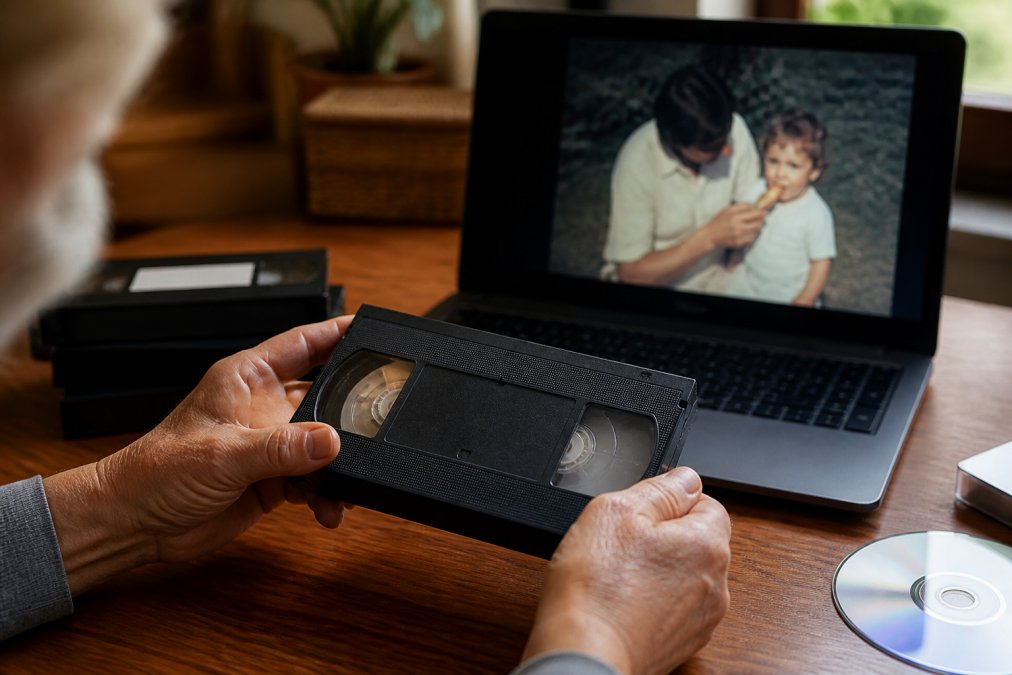
Magnetic tape degradation is the physical breakdown of the tape’s binder layer, which holds the magnetic particles carrying your footage (loc.gov). Once that layer becomes sticky or sheds, playback can destroy the recording permanently.
Three things drive it:
- Time. Binder breakdown happens regardless of how the tape is stored.
- Heat and humidity. Cycles of damp and dry accelerate mould and layer separation.
- Playback itself. Every pass through a machine adds wear, and worn tapes shed oxide onto the heads.
A tape that plays today may not play in five years, and a failed playback attempt can finish it off.
VHS to Digital Conversion Service: What Sets Professionals Apart
A professional VHS to digital conversion service captures the signal with minimal wear and corrects it in real time, rather than recording whatever the tape outputs. That distinction explains most of the quality gap between providers.
Professional-Grade Hardware and Quality Assurance
Consumer capture devices and all-in-one VHS-to-DVD machines process video with limited headroom, struggling with unstable signals and dropping audio sync. Professional-grade hardware does the opposite: time-base correction stabilises the signal, and separate capture paths keep audio locked to picture.
Quality assurance is a workflow, not a checkbox. A proper process includes:
- Cleaning and inspecting each tape before it enters a deck
- Assessing whether a tape needs baking or specialist handling
- Capturing at a high bitrate with a lossless or lightly compressed codec
- Reviewing the output for dropped frames, sync issues, and colour drift
Ask any provider what happens when a tape fails mid-capture. If the answer is “we try again”, they are guessing. A professional setup keeps the original tape untouched and works from a stabilised signal, so a second attempt does not cost you another generation of quality.
How to Prevent Magnetic Tape Degradation Before It’s Too Late
You cannot reverse magnetic tape degradation, but you can slow it down. Storage conditions and handling habits do most of the work.
- Store tapes upright, never stacked flat, in a cool, dry room away from windows
- Keep them out of garages, sheds, and roof spaces where temperatures swing
- Avoid running tapes “just to check” on equipment of unknown condition
- Keep mouldy tapes away from clean ones, because mould spreads
- Have anything damp, mouldy, or squealing assessed before it is played
If a tape has visible white powder, a vinegar smell, or a squealing sound during playback, stop. Those are signs of advanced breakdown, and a professional assessment is the only sensible next step.
The Real Cost of Digitising Old Tapes: DIY vs Professional
The cost of digitising old tapes is not just the invoice. It is the price plus your hours, the risk of a failed capture damaging the original, and the cost of re-doing the job later, assuming the tape survives.
Separate the visible cost from the hidden cost.
Visible cost is what you pay up front: a capture device, cables, a compatible VCR, and software. Hidden cost is everything that follows, the hours of setup and troubleshooting, the failed captures, the tapes that get damaged during experimentation, and the eventual professional re-do.
| Factor | DIY Capture | Professional Service |
|---|---|---|
| Upfront cost | Equipment purchase | Per-tape fee |
| Your time | Hours per batch | None |
| Signal correction | Minimal or none | Time-base corrected |
| Damaged tape handling | Risk of further wear | Assessed before playback |
| Audio sync | Frequently drifts | Locked during capture |
| Output quality | Variable | Consistent, archival quality |
| Recourse if it fails | None | Workflow allows retry |
| Privacy obligations | Falls on you | Handled by the provider |
Why Cheap Conversion Services Often Cost More
A cheap service usually means consumer hardware, no quality control, or both. The result is footage that looks fine on a phone screen but falls apart on a television, with sync issues, crushed colour, and dropped frames baked in.
Once a tape has been captured badly, you cannot simply capture it again for free. Each playback adds wear, and if the tape was already fragile, the cheap conversion may have consumed its last clean pass.
There is also a legal dimension that most guides ignore. If the footage contains other people, a school concert, a workplace event, a wedding, the provider is handling personal information. Under the Privacy Act 1988 (Cth) and the Australian Privacy Principles, an organisation that holds personal information must take reasonable steps to protect it from misuse, interference, loss, and unauthorised access (oaic.gov.au). A budget operator working from a spare room with no access controls is not meeting that standard, and the risk sits with whoever handed over the tapes.
The most expensive outcome is a cheap conversion that damages the original. If a tape is unique and irreplaceable, it should never be the test subject for budget equipment.
The DIY Equipment Trap
Most consumer capture devices are built to a price, and the compromises show up predictably. They lack time-base correction, so unstable signals pass straight through, producing dropped frames and audio drift. They often capture to heavily compressed formats that discard colour detail, and rarely let you monitor the signal in real time, so problems surface only after the tape has been run.
A common pattern: a DIY capture of a 30-year-old tape plays fine on a laptop but shows visible stutter and lip-sync drift on a television, which exposes timing errors the laptop’s player silently hides.
What You Are Actually Paying For
When you pay a professional service, you are not paying for the act of pressing record, but for:
- Assessment. Someone who can tell a mouldy tape from a squealing one and knows the difference in handling.
- Hardware. Time-base correctors, broadcast-grade decks, and separate audio and video capture paths.
- Judgement. Knowing when to stop, when to bake, and when to send a tape to a specialist rather than risk it.
- Accountability. A workflow that allows a retry without further wear on the original.
- Compliance. Handling your footage in line with privacy obligations you would otherwise carry yourself.
That is the real comparison: the total cost of getting it right once versus getting it wrong and living with the result.
Technical Challenges: Audio Sync, Colour Correction and Dropped Frames
Three technical problems separate a watchable file from a frustrating one, and all three are fixable during a proper conversion workflow, but only at the point of capture. Once baked into a compressed file, they are effectively permanent.
Audio Sync Drift
Audio sync drift happens when the capture device does not track the tape’s unstable timing. Analogue tape stretches, slips, and varies with temperature and condition, but a consumer capture device assumes a steady signal, so sound gradually slides ahead of or behind the picture (loc.gov).
The mechanism determines the fix. Drift accumulates across the length of the tape, so professional capture locks audio and video to a common clock during the transfer, preserving their relationship from first frame to last. Correcting it afterwards means stretching or compressing audio in an editor, which introduces artefacts and never fully recovers the original timing.
Colour Correction
Colour correction addresses the washed-out, over-saturated, or colour-shifted output typical of ageing analogue to digital transfers. The causes are physical: magnetic particles lose charge over time, the binder layer degrades, and the original standard, PAL, NTSC, or SECAM, carries colour information consumer devices often misread.
A professional workflow corrects colour at the source, using equipment that understands the original standard and can compensate for the specific degradation of the tape. Applying colour correction after a bad capture is a salvage operation, not a restoration.
Dropped Frames
Dropped frames occur when capture hardware cannot keep pace with a degraded signal, producing stutters and glitches. The tape outputs frames the device is not reading, and those frames are gone from the file.
This failure mode is often invisible during a DIY capture: a short clip may look fine, while a full two-hour tape shows the problem only in the final twenty minutes, by which point the wear has already been added.
Why the Fix Has to Happen at Capture
Professional capture handles all three problems at the source. Time-base correction stabilises the video signal before it reaches the capture device, audio is captured on a locked path, and the operator monitors output in real time so problems are caught during the transfer, not months later.
There is also a format dimension that most guides skip. The codec you capture to determines how much room you have to fix anything later. A lightly compressed or lossless archival master, such as a high-bitrate ProRes or an uncompressed capture, preserves the full signal, which means colour and timing can be refined in post without compounding compression artefacts. A heavily compressed MP4 throws away that headroom at the moment of capture.
If you plan to edit, restore, or re-master the footage later, ask for an archival master in a lightly compressed codec, not just a viewing MP4. The viewing copy is for watching; the master is for everything else.
The Operator Matters as Much as the Hardware
Time-base correctors and broadcast decks are necessary but not sufficient. The variable separating a good conversion from a great one is the operator watching the signal in real time, adjusting tracking, pausing when a tape squeals, and knowing when a tape needs cleaning versus being left alone.
That judgement cannot be automated or replicated by an unattended consumer device. It protects the original and determines whether the digital file is a faithful record or a lossy approximation.
File Formats, Future-Proofing and Digital Asset Management
The right output format depends on how you intend to use the footage, and choosing well now saves a second conversion later.
- Archival master: a high-bitrate, lightly compressed file that preserves maximum quality for future editing
- Viewing copy: a widely compatible format that plays on televisions, phones, and computers
- Sharing copy: a smaller file sized for messaging apps and email
Digital asset management matters as much as the conversion. A folder of files named tape1.mp4 is not a preserved archive. Label files with dates, events, and people, keep two copies in separate locations, and refresh your storage every few years. Format standards and storage media both change, and a migration plan makes a digital archive genuinely future-proof.
Conversion preserves the footage. Organisation preserves the story. A well-labelled archive with two copies in separate locations is worth more than a perfect file nobody can find.
Security, Privacy and the Environmental Impact of Media Storage
Handing over family footage means handing over private moments, so ask about security and privacy protocols before booking, not after.
A responsible provider keeps your media in a controlled, access-limited environment, works from your originals without unnecessary duplication, and returns every tape or reel alongside the digital files. Ask where your media is stored, who has access, and what happens to working copies once the job is complete.
The environmental angle is less obvious but real. Legacy media storage carries a footprint: tapes need climate-controlled space, and abandoned digital files sit on powered servers indefinitely. Consolidating into a well-managed digital archive reduces both, and removes the need to maintain obsolete playback equipment that is increasingly hard to source and repair.
Conclusion: Protecting Priceless Memories for Generations
Every year a tape sits in a cupboard, its condition worsens and the window for a clean capture narrows. The families who avoid that outcome act before the tape tells them it is too late.
Showbiz Video Productions converts VHS, film reels, cassettes, and vinyl into high-quality digital files, backed by more than 20 years of experience, professional-grade equipment, and same-day service in most cases. Pricing is transparent and starts at just $6, with no job too big or too small.
Get a quote from Showbiz Video Productions and secure your family’s footage before the next decade of storage decides the outcome for you.
Frequently Asked Questions
How much does it cost to convert old VHS tapes to digital?
The cost of digitising old tapes depends on the quantity, formats and turnaround time. Many services charge per tape, with prices varying based on whether you need standard or same-day service. For a precise figure, check the provider’s pricing page or request a quote. Keep in mind that the cheapest option is not always the best value when your irreplaceable family memories are at stake.
What are the risks of using cheap DIY media converters?
Cheap DIY media converters often produce low-quality results with sync issues, dropped frames and poor colour accuracy. They may also lack the professional-grade hardware needed to handle fragile or degraded tapes safely. A poorly executed conversion can leave you with unwatchable files and no second chance if the original tape is damaged during playback. Professional media conversion protects both your memories and your originals.
How long does professional media conversion take?
Turnaround times vary by provider and project size, but some services offer same-day completion for smaller jobs. Larger collections or complex formats like film reels may take longer. Always confirm the expected timeline before committing, and ask whether the service handles your specific formats in-house or outsources them, as this affects both speed and quality control.
Is it worth digitising old home movies?
Yes, especially if the original media is degrading. Magnetic tape degradation, mould and playback equipment failure mean your VHS tapes, cassettes and film reels will not last forever. Digitising them preserves the content in a format you can watch, share and back up on modern devices. It also makes a thoughtful gift for relatives who no longer have working playback equipment.