
Table of Contents
- Why Speed Matters for VHS to Digital Service
- Cost to Convert Old Home Videos: What You’ll Actually Pay
- VHS to USB Transfer Service: Output Formats Explained
- How Long Does VHS Digitisation Take
- What Happens to Your Tapes During Conversion
- Handling Degraded and Damaged Magnetic Tape
- Getting Your Digital Files: Storage and Playback
Last Updated: August 27, 2026
Why Speed Matters for VHS to Digital Service
VHS tapes degrade. Colours fade. Audio distorts. The longer you wait, the more quality you lose. Degradation isn’t linear, a tape stored in poor conditions can lose playability within years. Professional digitisation captures what remains before it’s gone.
At Showbiz Video Productions, we’ve worked with families who delayed digitisation only to discover their tapes had developed oxide shedding or tape pack deterioration. By then, recovery becomes exponentially more difficult and expensive. Same-day turnaround isn’t a marketing claim, it’s insurance against loss.
Speed also affects your workflow. If you’re consolidating decades of family archives, you need a service that handles volume without bottlenecks. Knowing your tapes will be processed, returned, and ready for viewing within days lets you plan your digitisation project with confidence instead of anxiety.
Cost to Convert Old Home Videos: What You’ll Actually Pay
Pricing for cost to convert old home videos varies depending on format, length, and service level. Most professional services charge per tape or per hour of footage. A single VHS tape might cost anywhere from $6 to $15, depending on whether the service includes enhancement, colour correction, or multiple output formats (bbb.org). Volume typically brings the per-unit cost down.
When evaluating pricing, consider what’s included. Some services deliver raw digital files. Others include editing, colour correction, noise reduction, or organisation by event. These enhancements add cost but can dramatically improve the final product, especially for degraded or poorly lit original footage.
Showbiz Video Productions offers transparent pricing starting at $6 per item, with no hidden fees or surprise charges. Storage and delivery format also affect cost. USB files cost less than DVD duplication. External hard drive delivery for large collections may have different pricing than USB sticks.
The real question isn’t "What’s the cheapest option?" but "What’s the best value for preserving my specific collection?" A $6-per-tape service that delivers clean, playable files is better value than a cheaper service that leaves your footage unwatchable.
VHS to USB Transfer Service: Output Formats Explained
When you choose a VHS to USB transfer service, understanding your output format options matters. The format determines how you’ll watch, share, and preserve your videos for decades to come.
MP4 is the most common output format. It’s compatible with virtually every device, phones, tablets, laptops, smart TVs, and streaming devices. MP4 files compress efficiently without destroying quality, making a 2-hour tape a manageable file size you can email, upload, or back up to cloud storage (peer-reviewed research). For most families, MP4 on USB is the ideal balance of compatibility and convenience.
AVI format preserves higher quality at the cost of larger file sizes. If you’re planning to edit your footage or create a polished video project, AVI is worth the extra storage space. Professional video editors prefer AVI because it retains more colour information and handles effects better than MP4.
DVD output is still relevant if you want a physical backup or plan to watch on a traditional DVD player. However, DVD compression reduces quality compared to digital files. Unless you specifically need a physical disc, USB-based digital files are superior.
Resolution also matters. Standard digitisation captures at 720p or 1080p. Some services offer 4K upscaling, which enlarges the image but doesn’t add detail your original tape never contained. For most home videos, 1080p is the practical ceiling, sharp, compatible, and doesn’t create unnecessarily large files.
How Long Does VHS Digitisation Take
The speed of how long does VHS digitisation take depends entirely on the service and your volume. Same-day turnaround is possible for small orders. If you drop off 1-3 tapes in the morning, you can collect them digitised by evening. This works when the service has available capacity and your tapes are in decent condition.
For larger orders of 10, 20, or 50 tapes, expect 5-10 business days. Professional services work through queues. Your tapes move through cleaning, digitisation, quality control, and file delivery in sequence. Rushing compromises quality, so a reputable service won’t promise same-day delivery on 50 tapes.
Showbiz Video Productions offers same-day service in most cases, which means your tapes are processed and returned the same day you bring them in. However, if your tapes show signs of significant damage, mould, tape pack deterioration, or severe oxide shedding, recovery takes longer.
The actual digitisation of a 2-hour tape takes about 2 hours in real time (smpte.org). What separates fast services from slow ones is how efficiently they handle cleaning, queuing, and delivery. A service with multiple capture stations can process several tapes simultaneously.
Always ask about turnaround time for YOUR specific volume and tape condition. Same-day is realistic for small orders; 1-2 weeks is standard for large collections.
What Happens to Your Tapes During Conversion
Your tapes don’t simply get plugged into a machine and digitised. Professional VHS to digital service involves multiple careful steps to extract the best possible quality from aging media.
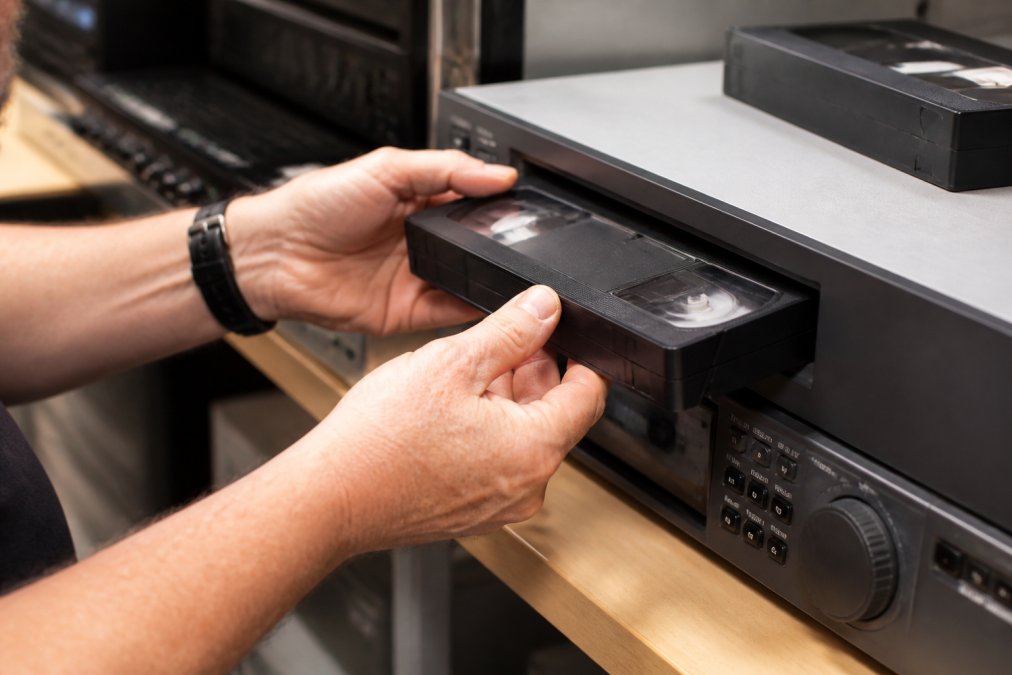
The first step is inspection. A technician examines your tape for visible damage, mould, warping, broken reels, or loose tape. This assessment determines whether the tape can be played safely or requires cleaning and repair first.
Next comes cleaning. Even carefully stored tapes accumulate dust and oxide particles. A professional service uses specialised equipment to gently clean the tape surface without damaging the magnetic coating. This step alone improves playback quality significantly.
The digitisation itself uses professional-grade video capture cards that read the analog signal from your tape and convert it to digital data. Professional capture cards preserve the original signal with minimal degradation, unlike consumer-grade equipment.
During capture, the service monitors playback in real time. If the tape glitches or shows severe distortion, the technician can pause and troubleshoot. After digitisation, quality control checks the file. Colour correction and noise reduction may be applied to enhance the final product.
Finally, files are delivered on your chosen medium and your original tapes are returned to you. A professional service never discards your originals, even after digitisation.
Handling Degraded and Damaged Magnetic Tape
Not all tapes arrive in pristine condition. Understanding how professionals handle degraded and damaged magnetic tape is crucial when choosing a VHS to digital service.
Mould is the most common problem. Tapes stored in damp basements or garages develop fuzzy growth on the surface or inside the cassette housing. Mould requires careful treatment with specialised antifungal solutions and complete drying before playback. The cleaning process extends your turnaround estimate.
Tape pack deterioration happens when the magnetic coating begins to separate from the plastic base. You’ll notice white powder or residue, or severe picture distortion during playback. Recovered footage from severely deteriorated tapes may have gaps or missing frames, but often enough remains to create a usable digital file.
Broken reels, cracked cassette housings, and snapped tape require physical repair. A technician can carefully splice a broken tape or transfer tape from a damaged cassette into a new housing. Sticky tape, warped cassettes, and other damage each require specialised expertise to recover.
When you contact a VHS to digital service with damaged tapes, be honest about the condition. Photos of the damage help the technician prepare and estimate turnaround time. Showbiz Video Productions assesses each tape individually and explains what recovery is possible before you commit.
Never attempt to force a damaged tape into a playback machine yourself. You risk destroying whatever remains of the footage. Professional recovery is your best chance at preserving irreplaceable memories.
Getting Your Digital Files: Storage and Playback
Once your tapes are digitised, the next question is how to store and access your new digital files. This decision affects how easily you’ll watch your videos and how securely they’re preserved.

USB flash drives are the most common delivery format. They’re affordable, portable, and compatible with any modern device. A 64GB USB stick holds roughly 30-40 hours of video. You can plug it into your TV, computer, or media player and start watching immediately.
External hard drives offer more storage for large collections. If you’re digitising 100+ tapes, a 2TB external drive gives you room for everything plus backup space. External drives connect via USB and work with any computer.
Cloud storage adds convenience and security. Services like Google Drive, Dropbox, or OneDrive let you access your videos from any device with an internet connection. Cloud storage also protects against physical loss, if your house flooded, your digitised memories would still exist online.
The safest approach combines multiple storage methods. Keep your files on USB for easy access. Back them up to an external hard drive stored in a safe location. Upload key videos to cloud storage. This redundancy ensures that losing one copy doesn’t mean losing your memories forever.
Playback compatibility is straightforward if your files are MP4 format. Every modern TV, computer, phone, and tablet plays MP4 files natively. You don’t need special software or codecs.
Store your digitised files in at least two locations. One copy for regular viewing, one copy for archival backup. This simple step protects your memories against accidental loss or device failure.
Preserving your family’s memories shouldn’t require weeks of waiting or uncertainty. When you’re ready to digitise your VHS collection, Showbiz Video Productions delivers the fastest turnaround combined with professional-grade quality. With over 20 years of experience handling everything from pristine tapes to severely degraded media, we understand what your irreplaceable footage needs. Get a quote today and discover how quickly your memories can be restored to crystal clarity, ready to watch, share, and preserve for generations to come.
Frequently Asked Questions
How much does it cost to convert old VHS tapes to digital?
Pricing for VHS to digital conversion depends on the number of tapes, tape condition, desired output format, and turnaround timeframe. Professional services typically charge per tape rather than a flat rate. For current pricing and a personalised quote based on your collection size, visit the pricing page or contact the service provider directly. Most offer transparent, upfront costs with no hidden fees.
Can I get same-day VHS to digital conversion?
Yes, same-day VHS to digital service is available for most jobs, particularly smaller batches. Same-day turnaround depends on the number of tapes, their condition, and the time you drop them off. Professional services with in-house equipment can often deliver results the same day or within 24 hours. Contact your local provider to confirm same-day availability for your specific order.
What file formats will I receive when my VHS is digitised?
Common digital formats include MP4 (widely compatible with modern devices), AVI (better for editing and long-term archiving), and DVD. MP4 files on USB are the most popular choice because they play on televisions, computers, tablets, and smartphones without additional software. Ask your service provider which formats they offer and which best suits your playback and storage needs.
How long does VHS digitisation take if my tapes are old and damaged?
Degraded or damaged tapes may require additional cleaning and careful handling, which can extend turnaround time beyond standard same-day service. Professional services often inspect tapes first and provide a realistic timeframe. Pre-transfer cleaning, frame-by-frame inspection, and colour correction add time but improve final quality. Discuss your tape condition with the provider upfront so they can give you an accurate timeline.
This article was written using GrandRanker