Table of Contents
- Can You Digitize Multiple Media Formats?
- Types of Legacy Media You Can Convert
- Best Digital File Formats for Home Movies
- Step-by-Step: How to Prepare Your Media for Digitization
- DIY vs. Professional Digitization Services
- Cost of Professional Media Conversion Services
- How to Store Digitized Media Safely
- Common Mistakes to Avoid When Digitizing Legacy Media
- Frequently Asked Questions
Last Updated: September 2, 2026
Can You Digitize Multiple Media Formats?
Yes, you can digitize multiple media formats in a single project. Each format requires specific equipment and handling, but a professional service can manage all of them together. This guide walks you through how to digitize multiple media formats, what to expect at each stage, and how to preserve your collection safely for decades to come.
Most families have a mix of legacy media scattered across their homes: VHS tapes from the 1990s, film reels from a relative’s wedding, vinyl records, and old photo slides in storage. The challenge isn’t whether you can digitize them, it’s understanding how to prepare each format properly and choosing between doing it yourself or hiring professionals.
At Showbiz Video Productions, we’ve worked with thousands of families managing mixed collections. The most common question is whether handling multiple formats at once saves time and money. The answer is yes, but only if you understand what each format requires and organize your materials before conversion begins.
Types of Legacy Media You Can Convert
Different media formats require different conversion approaches, but modern digitization services handle all of them.
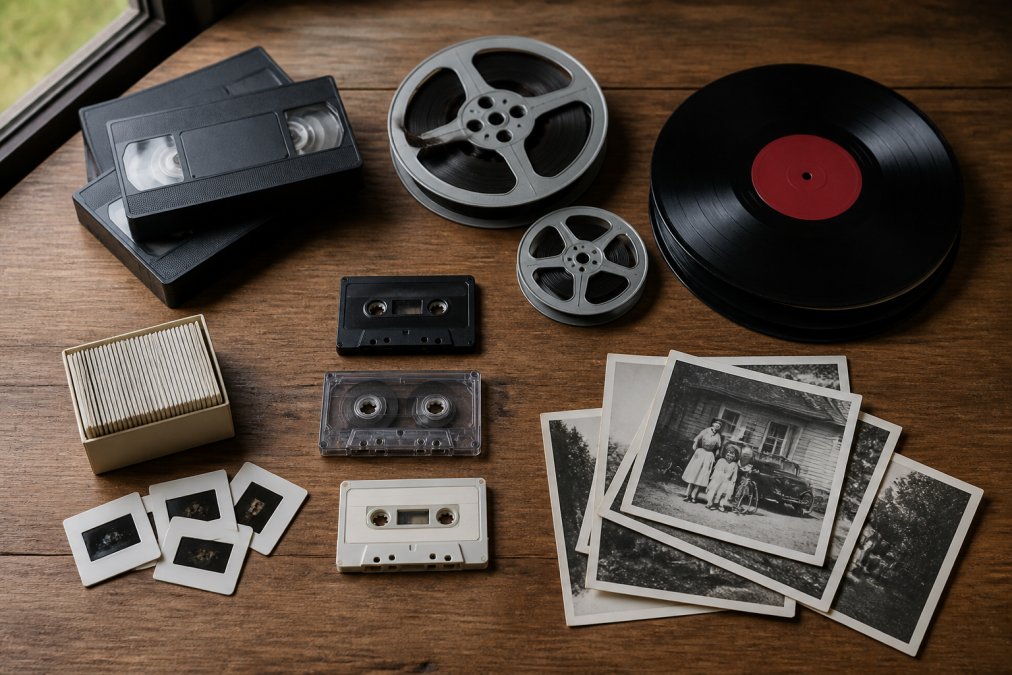
Video formats: VHS, MiniDV, and film reels
VHS tapes dominated home video recording from the 1980s through the early 2000s. The magnetic oxide coating flakes off over time, colours fade, and playback becomes unreliable. VHS conversion requires a video player connected to a capture device that digitises the analog signal in real time. A two-hour tape takes two hours to convert (peer-reviewed research).
MiniDV tapes use a digital format stored on magnetic media. Despite being digital, they degrade and require specialized players that are increasingly difficult to find. Many MiniDV tapes suffer from “sticky shed syndrome,” where the magnetic coating deteriorates and causes playback errors. Professional equipment can often recover footage that won’t play on consumer devices.
Film reels, whether 8mm, Super 8, or 16mm, become brittle and can break during playback. A film scanner captures each frame individually at high resolution, producing superior quality compared to video tape conversion.
Audio media: Cassettes and vinyl records
Cassette tapes suffer similar degradation to VHS as the magnetic coating deteriorates and tape stretches. Professional services can often restore damaged tapes by adjusting playback speed and using noise reduction software.
Vinyl records are more stable than magnetic media but collect dust and develop scratches that cause pops and clicks. A vinyl turntable with a high-quality cartridge feeds the signal into audio digitization equipment. Software can reduce surface noise after capture.
Photo media: Slides and negatives
35mm slides and film negatives contain some of the highest-quality images families own, yet they’re often neglected. A dedicated slide scanner captures each image at high resolution, typically 2400 DPI or higher, producing digital files suitable for printing or sharing (loc.gov).
Best Digital File Formats for Home Movies
Choosing the right output format determines how easily you can access, share, and preserve your digitized files.
MP4 is the most versatile format for video. It uses H.264 or H.265 compression, balancing quality and file size. Nearly every device plays MP4 files natively. A two-hour VHS tape typically converts to 2-4 GB as an MP4 (peer-reviewed research).
MOV format is Apple’s standard and works well if your household uses primarily Mac devices and iPhones. Compatibility is similar to MP4, though some Android devices may struggle.
For archival quality, consider ProRes or other professional codecs. These use lossless or visually lossless compression, preserving more detail than H.264. The trade-off is file size; a two-hour tape can exceed 50 GB. This format suits collections you intend to edit or preserve for institutional purposes.
For audio, WAV format preserves the original recording without compression loss. MP3 reduces file size by 90% with minimal audible quality loss. FLAC offers lossless compression, reducing file size while preserving every detail. Choose WAV for archival purposes, FLAC for a balance of quality and storage efficiency, and MP3 for casual listening.
For photo slides and negatives, TIFF format preserves maximum detail without compression loss. JPEG is acceptable for casual viewing but loses detail with each save.
Step-by-Step: How to Prepare Your Media for Digitization
Proper preparation prevents damage during conversion and ensures better results.
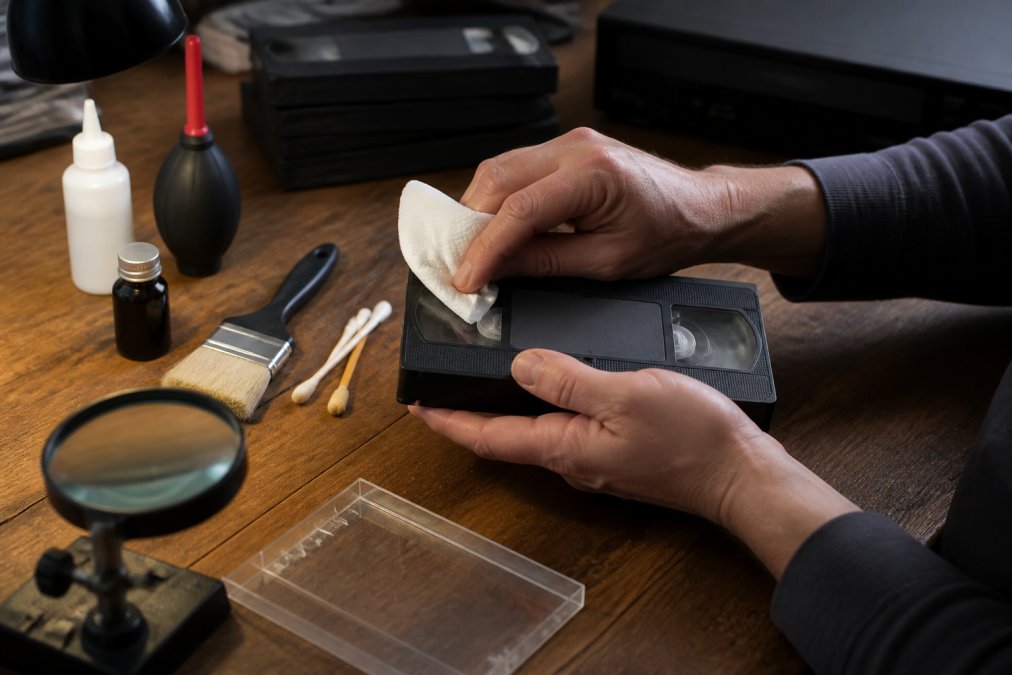
Assess the condition of your tapes and reels
Inspect each item for visible damage. Look for mold, which appears as white or green spots. Mold indicates moisture exposure and requires professional handling; never attempt to play a mouldy tape yourself.
Check for warping, which shows as visible bending or deformation. Warped tapes may jam or break during playback. Sticky shed syndrome, common in older tapes, causes the tape to stick to itself or playback heads. If a tape feels unusually resistant, stop immediately and consult a professional.
For film reels, look for brittleness by gently flexing a small section. Vinegar syndrome, which smells like vinegar, indicates chemical degradation. This doesn’t prevent digitization but suggests the film is deteriorating rapidly.
Document the condition of each item in a spreadsheet. Note the format, length, visible damage, and content description.
Clean and inspect before conversion
Dust and debris cause playback errors and can damage equipment. Use a soft, dry cloth to wipe VHS tapes and cassettes. For vinyl records, use a record cleaning brush, moving radially from centre to edge.
For film reels, inspect by holding up to light. Look for tears, severe scratches, or brittleness. Never attempt to clean film yourself; professionals have specialized equipment.
Slides and negatives should be handled by the edges only. Use a soft brush or compressed air to remove dust, but avoid touching the image surface.
Organise and label your collection
Group items by format. Within each format, arrange chronologically if possible. Label each item clearly with a permanent marker, noting content description, date, and a reference number.
Create a master spreadsheet listing every item: reference number, format, estimated length, content description, and special handling notes. This document travels with your collection and ensures nothing gets lost.
DIY vs. Professional Digitization Services
The choice depends on your equipment budget, time availability, and comfort with technology.
DIY digitization requires significant upfront investment. A basic VHS capture device costs $50-150, but quality matters. Film scanners start at $200-300 for consumer models and exceed $1,000 for higher-quality equipment. Audio digitization requires a turntable or cassette deck plus an audio interface, typically $100-300. Slides require a dedicated scanner, usually $300-800.
DIY conversion demands time and technical knowledge. A single VHS tape takes two hours to convert plus file management and organization. A collection of 50 tapes represents 100+ hours of hands-on work.
Professional services handle technical complexity and equipment investment. Showbiz Video Productions manages all technical details, equipment calibration, file format selection, quality control, and organization. Professionals work in parallel, converting multiple formats simultaneously. Same-day service is available for smaller jobs.
Professional services also offer quality advantages. Equipment captures higher resolution and bitrate than consumer devices. Professionals apply colour correction, noise reduction, and stabilization. If a tape is damaged, professionals have recovery techniques that consumer equipment cannot match.
For 5-10 tapes, DIY might be economical. For 50+ items in mixed formats, professional services typically cost less when you factor in equipment, time, and the learning curve.
Cost of Professional Media Conversion Services
Pricing varies based on format, quantity, and service level.
Professional services typically charge per item or per hour of content. VHS tapes usually cost less per tape than film reels because conversion is faster. Audio cassettes and vinyl records fall between VHS and film in price. Slides and negatives often command higher prices due to individual frame scanning time.
Quantity discounts apply at most services. Converting 10 tapes costs more per tape than converting 100 tapes. Rush services add a premium to standard pricing. Showbiz Video Productions offers transparent pricing and can provide a quote based on your specific collection. Visit the pricing page for current rates, or contact the team for a custom quote on your mixed-format collection.
Additional services affect total cost. Colour correction, audio restoration, and stabilization improve quality but increase price. Metadata creation adds labour time. Archival-quality output formats cost more due to larger file sizes and longer processing time.
How to Store Digitized Media Safely
Once your media is digitized, proper storage ensures your files survive for decades. Digital files face risks including bit rot, format obsolescence, and accidental deletion.
Cloud storage vs. external hard drives
Cloud storage services like Google Drive, Dropbox, and iCloud offer convenience and automatic backup. Files sync across devices, and you can access them from anywhere. Cloud services provide redundancy; your files exist on multiple servers. The downside is ongoing subscription costs and dependence on internet connectivity.
External hard drives offer permanent ownership and no ongoing fees. A 2 TB external drive costs $60-100 and stores hundreds of hours of video. Hard drives fail eventually, typically after 5-10 years, so they require monitoring and replacement.
The best approach combines both. Store your primary archive on external hard drives kept in a safe location. Maintain a secondary copy on cloud storage as a backup.
Backup strategy and data migration
The 3-2-1 backup rule provides a proven framework: maintain three copies of your files, on two different types of media, with one copy stored off-site. For example, keep one copy on your computer, one on an external hard drive at home, and one on cloud storage.
Plan for format obsolescence. Every 5-10 years, review your files and consider migrating to current formats if technology shifts significantly.
Monitor hard drive health using software that tracks SMART data. Many drives provide warnings before failure, giving you time to migrate files.
Metadata and organisation for easy access
Create a consistent folder structure and naming system. For example: /Videos/Year/Event/Filename. This hierarchy makes browsing intuitive.
Add metadata to video and audio files. Most media players display title, date, and description. For important videos, create a text file describing the content, people featured, and relevant context.
Create a master index, a spreadsheet listing every digitized item, its location in your storage system, and a brief description.
Common Mistakes to Avoid When Digitizing Legacy Media
Waiting too long is the most common mistake. Magnetic tapes degrade continuously, and playback equipment becomes harder to find each year. Digitizing within the next 1-2 years significantly increases the likelihood of successful conversion.
Attempting to clean heavily damaged media yourself can cause irreversible harm. Mouldy tapes, severely warped cassettes, and brittle film require professional handling. Consumer cleaning methods can spread mould, damage the magnetic coating, or break film.
Choosing the wrong output format creates problems later. Standard formats, MP4 for video, MP3 or FLAC for audio, JPEG or TIFF for photos, ensure long-term accessibility.
Neglecting backup and redundancy leaves your digitized files vulnerable. Implement the 3-2-1 backup strategy from the outset.
Failing to organize files creates chaos. Spend time organizing immediately after digitization, while the content is fresh in your mind.
Underestimating the time required for DIY conversion frustrates many people. A 50-tape collection represents 100+ hours of conversion time alone. Professional services compress this timeline dramatically.
Preserving your family’s memories means acting before time runs out. Physical media degrades continuously, and playback equipment disappears every year. Showbiz Video Productions handles the technical complexity, using professional-grade equipment to convert your VHS tapes, film reels, cassettes, and vinyl records into high-quality digital files that last for generations. With over 20 years of experience and same-day service available, we ensure your treasured memories remain safe and accessible. Get a quote today and start preserving what matters most.
Frequently Asked Questions
Can you digitize multiple media formats in one batch?
Yes, professional digitization services can handle multiple media formats simultaneously. You can combine VHS tapes, film reels, cassettes, vinyl records, and slides in a single order. The service provider will separate and process each format using appropriate equipment to ensure quality preservation. This approach is more efficient than making separate trips and allows you to consolidate your entire legacy media collection into digital files at once.
What are the best digital file formats for home movies?
For long-term preservation, MP4 and MOV formats with H.264 codec offer excellent compatibility and manageable file sizes. For archival quality, consider lossless formats or professional codecs like ProRes. The ideal format depends on your playback needs: MP4 works universally across devices and platforms, while formats with higher bitrate and sampling rate provide superior quality for detailed restoration. Professional services typically deliver files in multiple formats to ensure future-proofing.
How should I store digitized media safely?
Use a three-part backup strategy: keep one copy on an external hard drive, store a second copy in cloud storage, and maintain an original backup in a secure location. Avoid relying on a single storage method, as hardware can fail and cloud services may change. Organise files with clear metadata and folder structures so they remain accessible. Check your backups annually and consider migrating to newer storage formats every 5-7 years to prevent data loss from technological obsolescence.
What’s the difference between analogue-to-digital conversion and simple file transfer?
Analogue-to-digital conversion transforms physical media (VHS, vinyl, film) into digital files by capturing the analogue signal and encoding it as digital data. This requires specialised equipment to read the physical media and convert its content. Simple file transfer moves existing digital files between devices. True digitization of legacy media involves restoration, colour correction, noise reduction, and quality control to preserve the original content in its best possible form.
This article was written using GrandRanker